AI 无障碍访问的成本
The Cost of Accessibility in AI
原文由官网提供,中文由 GPT-6 Luna 翻译。相邻片段合并排版,正文与时间点保持对应。
已插入 20 张经核对的幻灯片或演示截图;点击图片可放大。图注链接为当前视频时间,左侧正文时间保留原转录版本,二者可能不同。
共 22 个阅读段落
大家好,我叫 Jemima,今天要和大家谈谈无障碍访问的成本在 AI 中;或者按我喜欢的说法:别再把 token 浪费在构建人们根本无法使用的产品上。
Hiya, my name is Jemima and I'm going to be talking to you about the cost of accessibility in AI, or as I like to call it, stop wasting tokens on building products that people can't
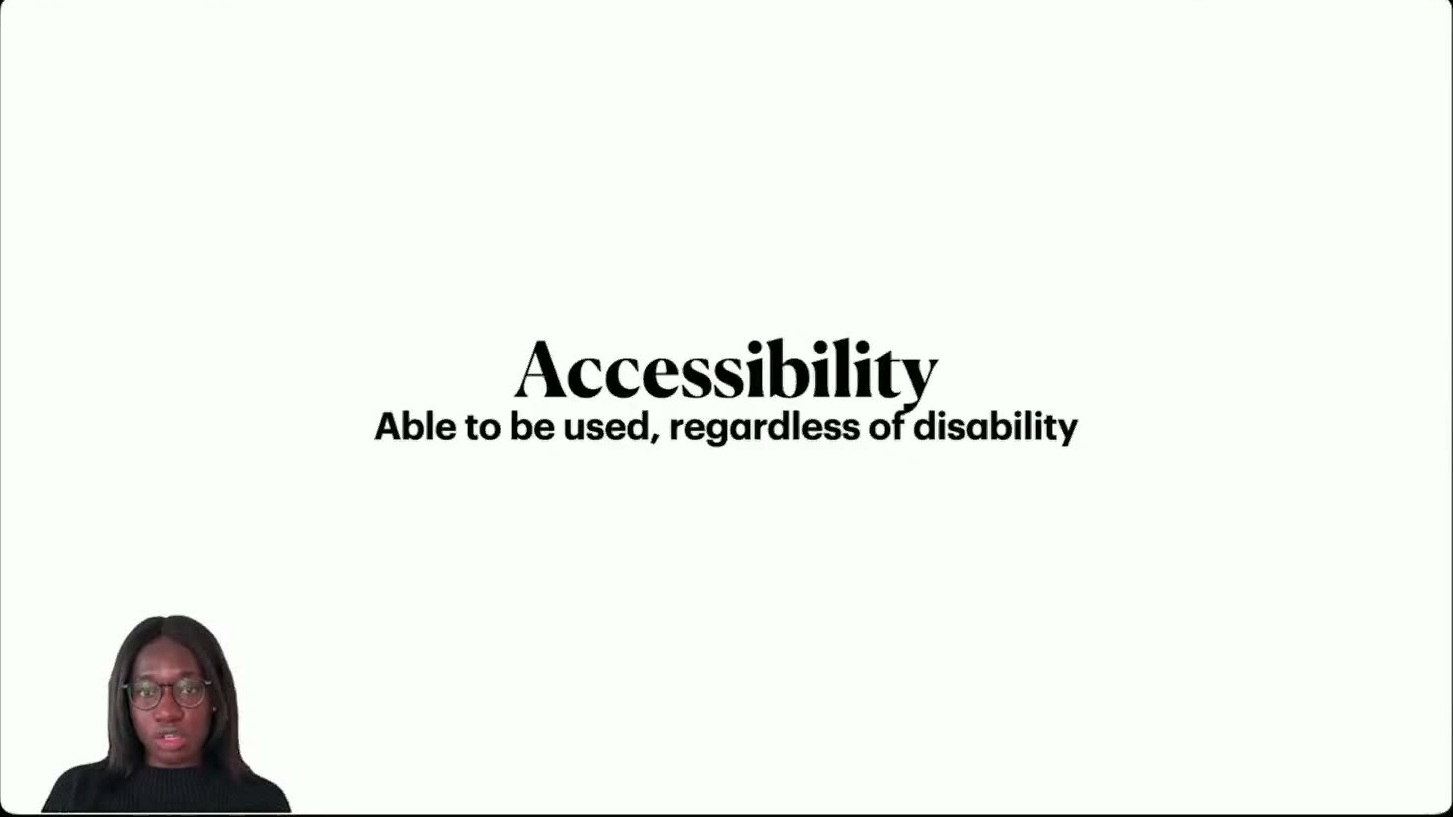
因为归根结底,无障碍访问是什么?无障碍访问就是一种品质,让任何人无论是否有残障都能使用产品。这意味着,当你看到一个无法无障碍使用的产品时,它本质上毫无用处,因为人们无法使用它。我认为这个话题非常值得讨论,尤其是在如今氛围编程、提示工程以及 AI 基本上替我们写所有代码的时代。我们必须确保,即使代码都由 AI编写,我们仍然是在为人类构建产品,并确保人们能够使用我们所构建的产品。一天用氛围编程做出五个不同应用,这听起来很好,但如果人们无法使用这些应用,那又有什么意义呢?
use. Because at the end of the day, what is accessibility? Accessibility is the quality of being able to be used by anyone regardless of disability. So what this means is that when you read a product that is inaccessible, that product is inherently useless because people cannot use it. I think this is a very prevalent talk, especially in these days of vibe coding and prompt engineering and AI basically writing all the code for us. We need to ensure that even with all the code being written by AI, we're still building for humans and we're ensuring that humans are able to use the products that we are building. It's all very well and good to vibe code five different apps in one day, but if people can't use those apps, then is there really any point?
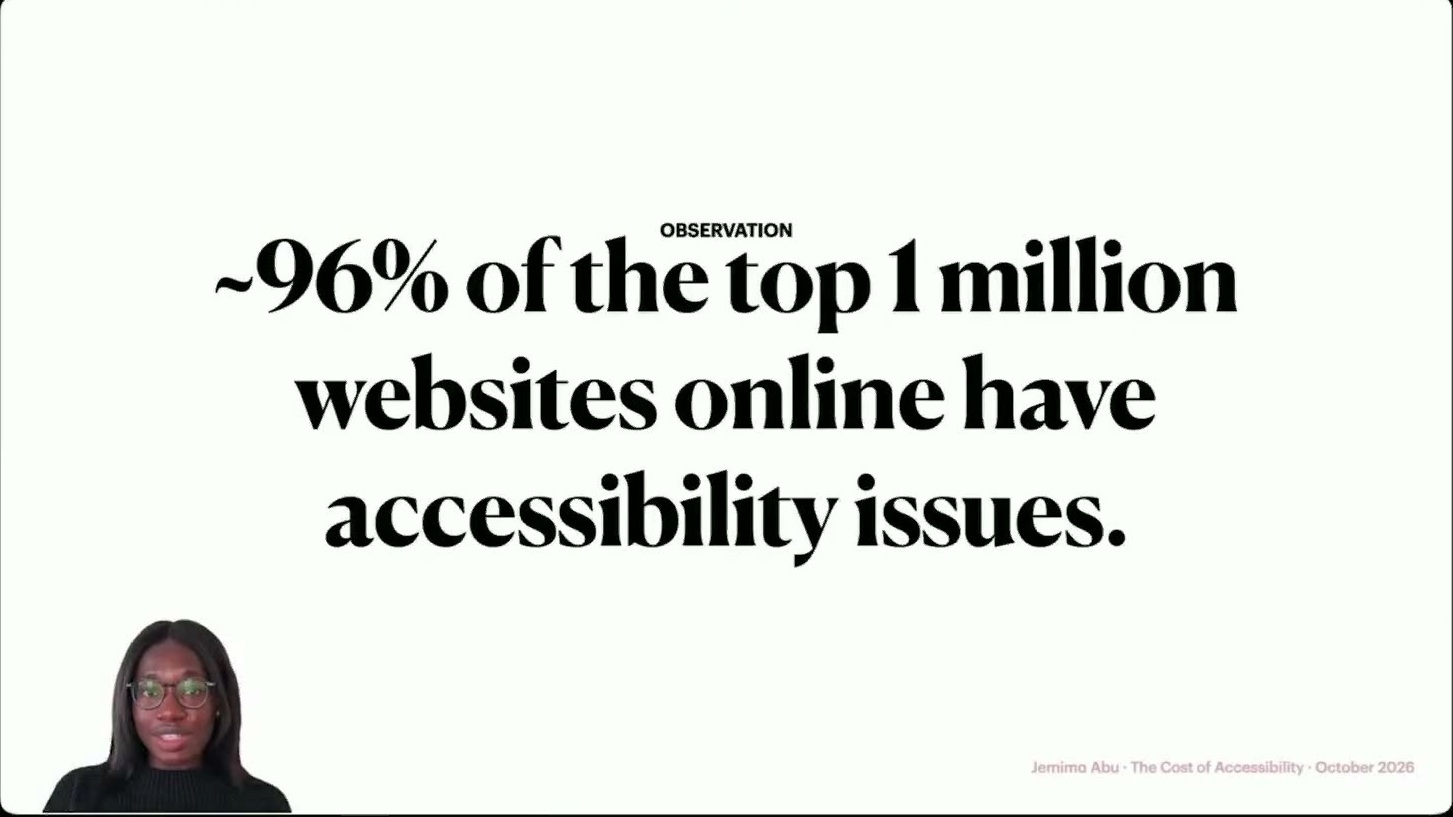
WebAIM 的一项研究显示,全球排名前 101 的网站中,有 96% 的首页存在某种无障碍访问问题。我经常四处演讲,谈论无障碍访问;每当我问为什么人们不把网站做得便于无障碍使用时,通常听到的回答都是:太费时间。我同意无障碍访问既费人力又费时间,但我确实认为,现在 AI 已经能写我们大部分代码了,实际上让产品具备无障碍访问能力反而更容易。
A study by WebAIM shows that 96% of the homepages of the top 101 websites in the world have some form of accessibility issue or another. I'm someone that goes around a lot and speaks about accessibility, and whenever I ask why don't people build websites to be accessible, I usually hear it takes too long. While I will agree that accessibility is a labor and time intensive process, I do think that now that I've gotten to the stage of AI writing most of our code, it's actually easier to make things accessible.
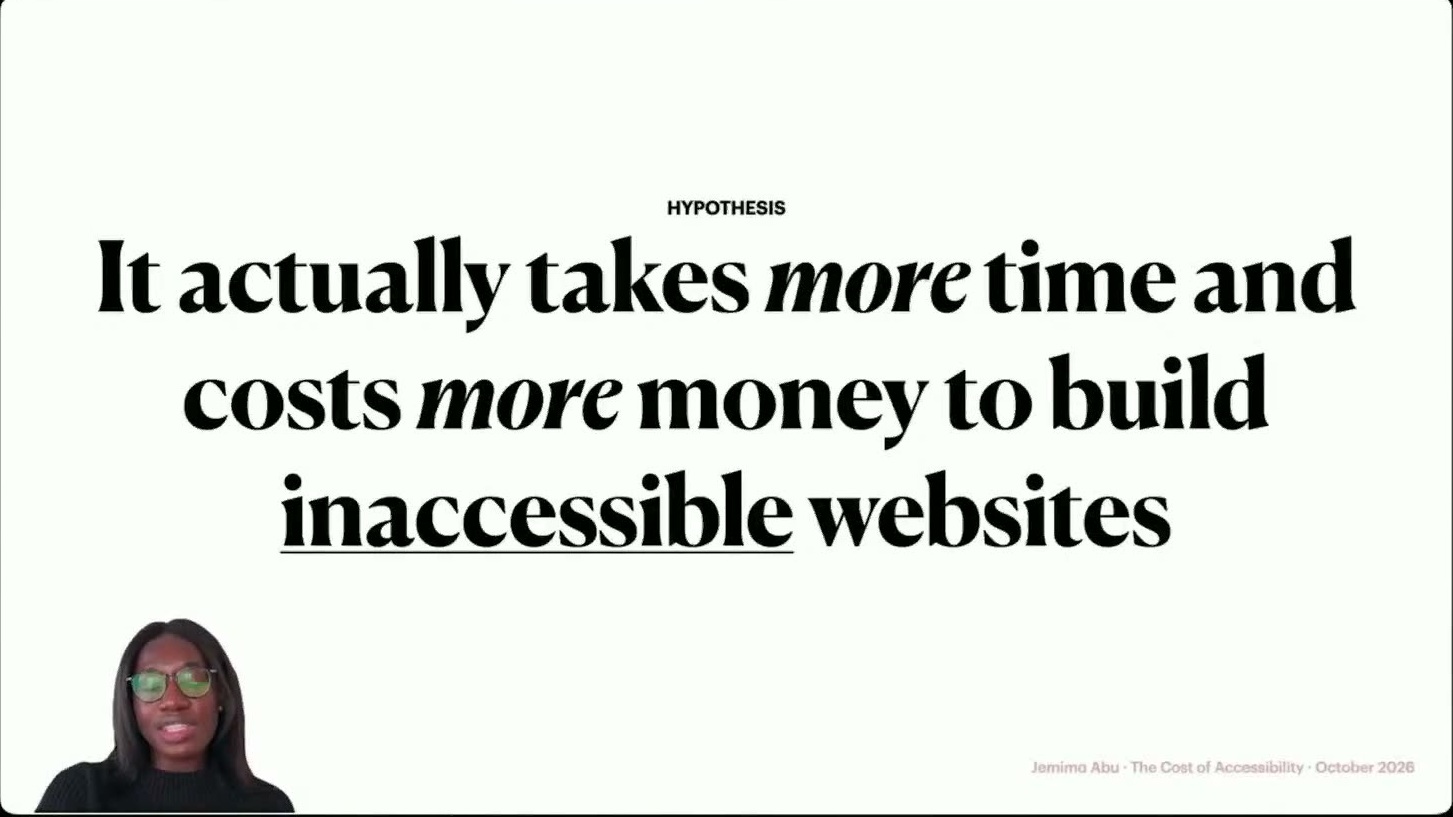
如果要说的话,我认为构建无法无障碍使用的网站反而会花更多时间和更多钱。所以我尝试用工作中的代码库做了一个小实验。我给智能体输入了这个提示:没有任何指南,就按 Figma 中的设计实现它。我运行了两次:第一次没有使用任何无障碍访问技能,第二次则使用了我写的技能。
If anything, I would say it costs more time and more money to build inaccessible websites. So I tried to carry out a little experiment using the codebase at work. So I gave this prompt to the agents, it's just a simple prompt with no guidelines, implement this design from Figma. And I ran it twice, the first time without any accessibility skill and the second time by using the skill that I had written.
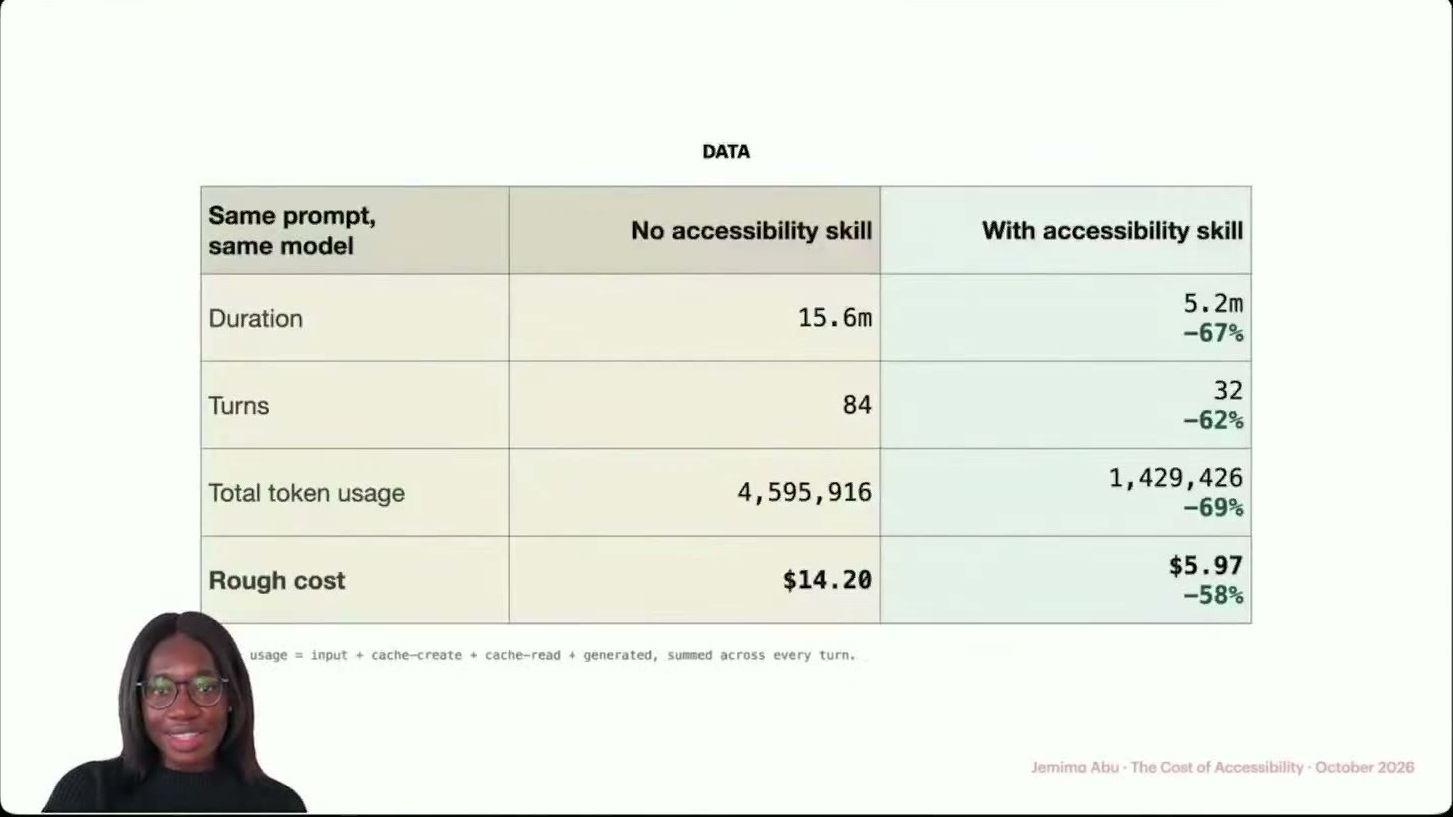
我发现,智能体使用该技能构建无障碍功能不仅更快,使用该技能时成本还降低了 58%。我们可以看看这里的数据。不仅成本更低,使用无障碍访问技能时, 完成这个提示所花的时间也只有原来的三分之一。
And what I noticed was that not only was it faster for the agent to build the accessible skill, but there was also a 58% reduction in cost when using that skill. And we can take a look at the data here. We see that not only was it cheaper, but it also took a third of the time to finish the prompt while using the accessibility skill.
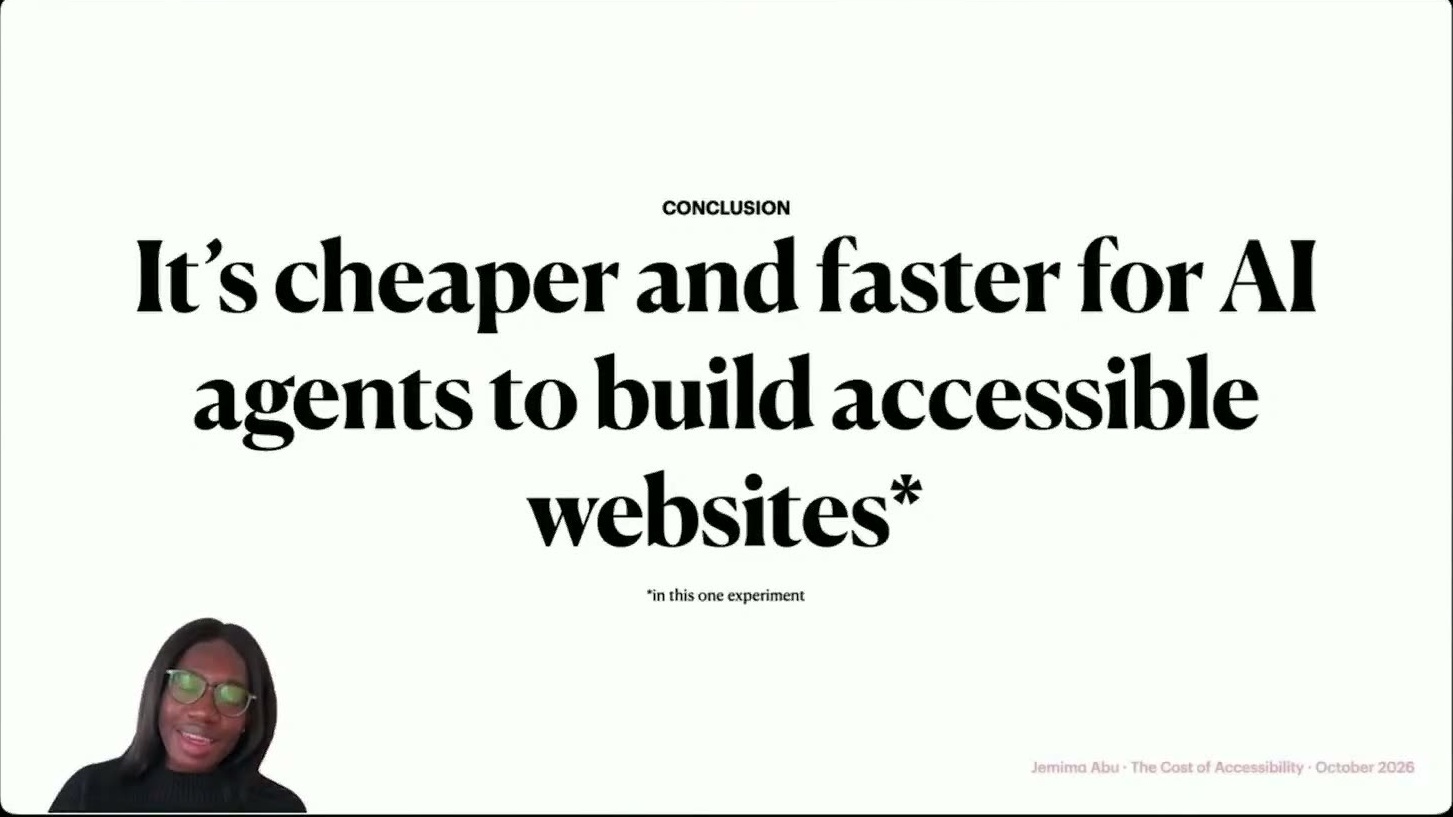
因此我们可以得出结论:让 AI 智能体构建无障碍网站,成本实际上更低。我们可以这么说,但我们不会这么说,因为这只是一次性实验,而且不是在受控环境中进行的。所以它不能作为经验证据来证明这一点。不过,如果看看 AI 智能体在没有无障碍技能时为什么要花更长时间执行提示,我们就能更清楚地了解它为什么能更快地构建无障碍网站。
So in conclusion, we can say that it is actually cheaper for AI agents to build accessible websites. We can say that, but we won't say that because this was a one-off experiment and it was not carried out in a constrained environment. So it cannot serve as empirical data that proves the fact. But when we look into the reasons why it took the AI agent much longer to carry out the prompts without any accessibility skills, then we can have a better idea of why exactly it is faster to build accessible websites.
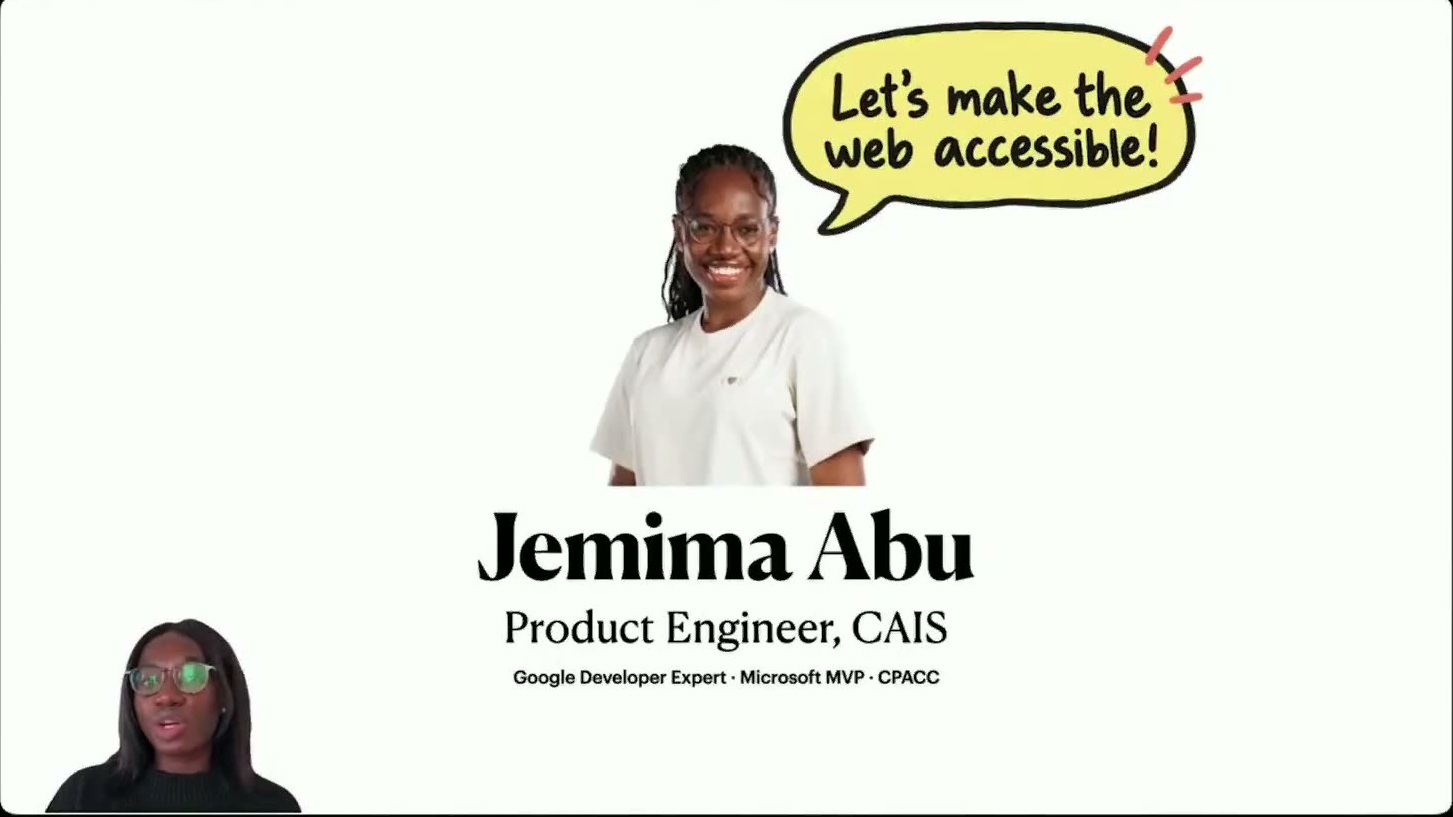
在讲这个之前,先自我介绍一下:我叫 Jemima Abu。我是一名产品工程师,在另类投资平台 CAIS 工作。我还是 Google 开发者专家、微软 MVP,并且获得了无障碍核心能力专业认证。简单说,我喜欢四处聊聊如何让网络变得更方便所有人使用。另外我稍作说明:虽然我举的很多无障碍访问例子会以网站为主,因为这是我的专业领域,但这些原则也适用于你正在使用的任何平台,无论是移动设备、硬件,还是其他任何东西。我们继续。
But before we get into that, hi, my name is Jemima Abu. I am a product engineer at Case, an alternative investment platform. I'm also a Google Dev expert, a Microsoft's MVP and a certified professional in accessibility core competencies. Basically, I like to go around talking about how to make the web a more accessible place. Also, I will give a slight disclaimer, while a lot of my examples relating to accessibility will be web-based because that is my area of expertise, this can also apply regardless of whatever platform you're working on, whether that's mobile or hardware or anything at all. So let's get back to it.
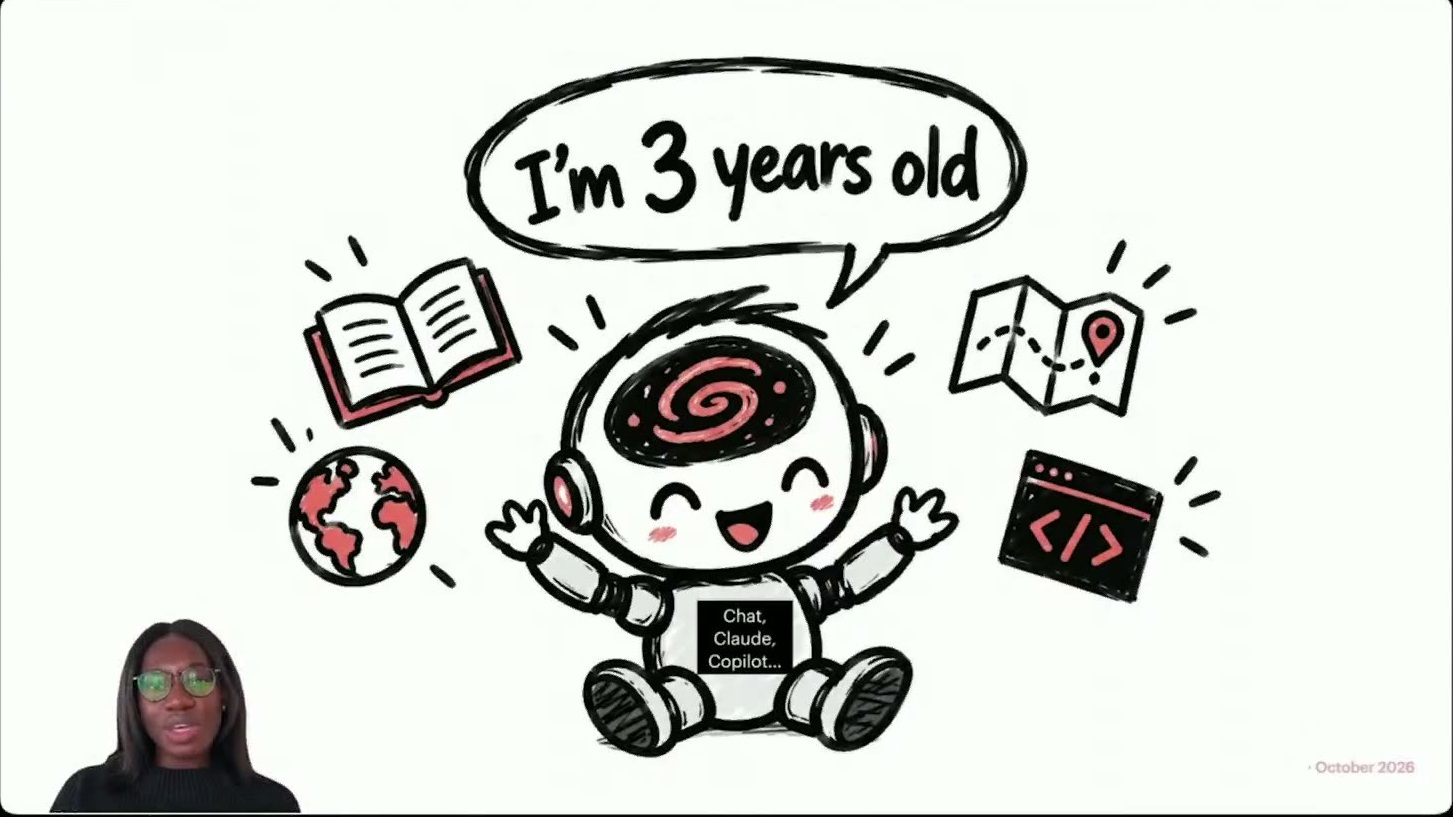
这就是你的 AI 智能体。它是一个超级智能的工具,几乎能做世界上的任何事,但同时,它也才三岁。和婴儿很像,AI 很容易受到影响。如果你一遍遍告诉它天空是红色的,它最终就会开始相信天空是红色的。这意味着,作为负责任的开发者,我们必须确保给 AI 智能体提供合适的技能和指导,让它构建我们想要的产品。
This is your AI agent. Now, it's a super intelligent tool that can do almost anything in the world, but at the same time, it's just three years old. And much like a baby, AI is very impressionable. If you tell it enough times that the sky is red, eventually it will start to accept that the sky is red. What this means is as the responsible developers in charge, we have to make sure that we're providing the right skills and guidance for AI agents to build the product that we want them to build.
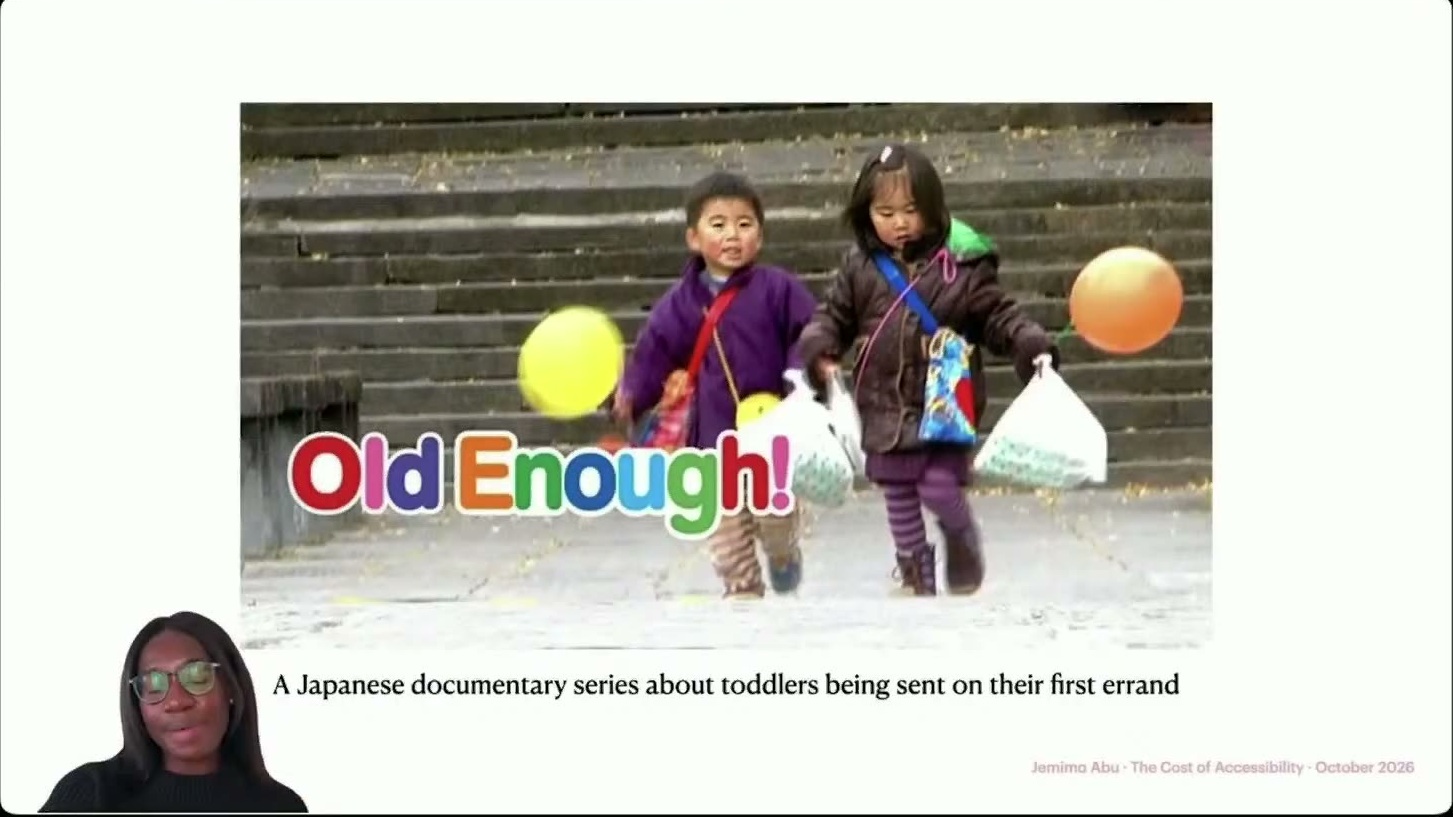
Netflix 上有一档我很喜欢的日本节目,叫《Old Enough》。节目基本上是让幼儿第一次独自出门办事。比如让一个三岁孩子去超市买杂货。我很喜欢这档节目的一点是,你总能看到父母在让孩子第一次独自出门办事之前所做的准备。比如,孩子可能已经跟父母去过这个市场很多次,或者父母给他们一张非常清楚、细致的清单。清单会告诉孩子超市在哪里、要买什么、哪些路线要避开。这基本上会让孩子更容易完成这件差事。
There's a Japanese show on Netflix that I love called Old Enough. It's basically about toddlers being sent on their first errand. It can be like a three-year-old being sent to a supermarket to purchase groceries. And one thing I like about the show is that you can always see the steps that the parents have put in place before they send them on that first errand. So it might be that the child has gone with their parents to this market multiple times, or they provide a list that's very clearly detailed. It shows them where the supermarket is, what they need to get there, what paths to avoid. And it basically makes it a lot easier for the child to carry out that errand.
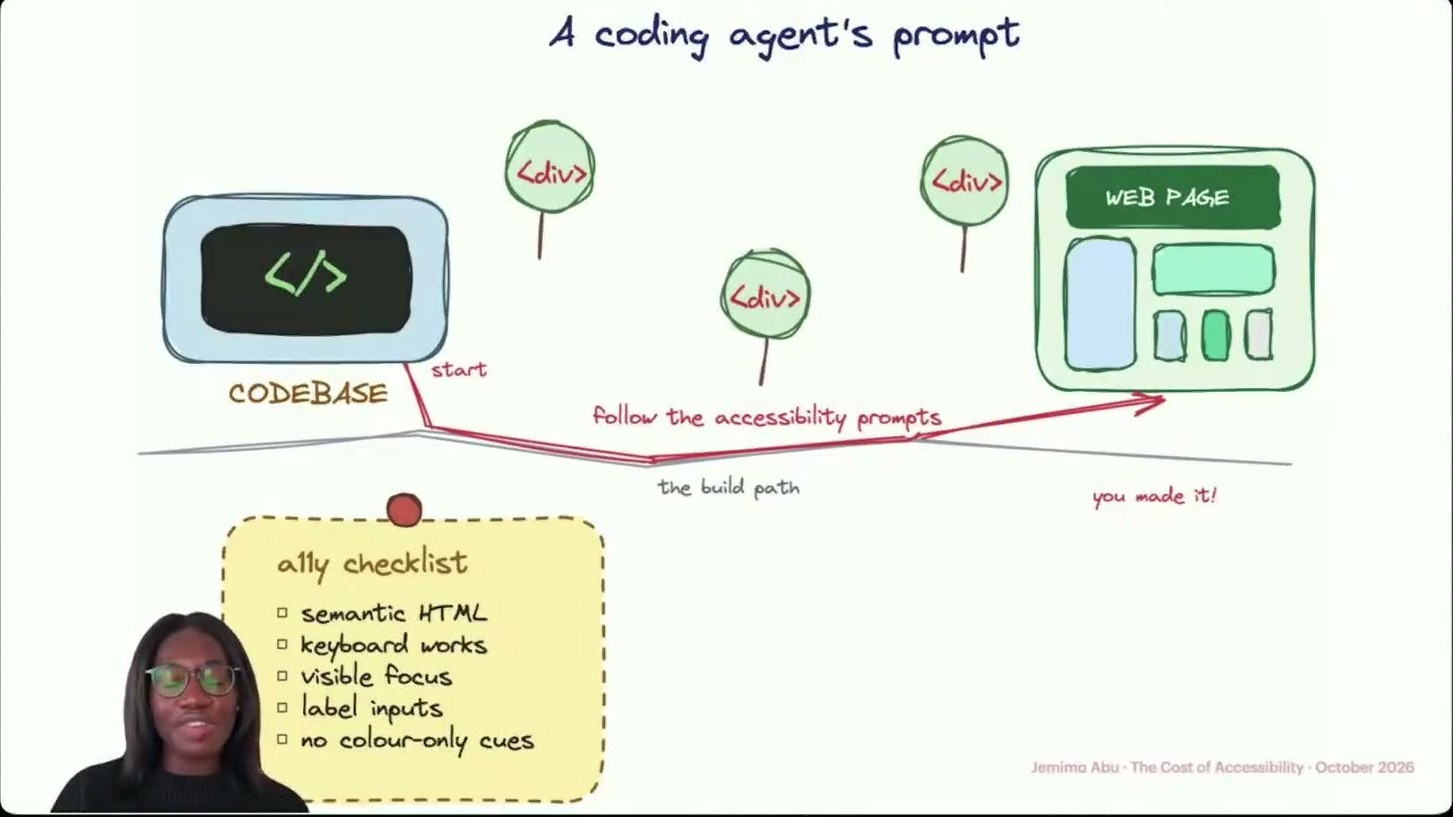
智能体也是一样。当你给智能体下指令时,比如让我构建这个网页或实现这个设计,如果我提供合适的技能和提示,智能体就更容易避免走错方向,最终产品也更容易符合我的预期。
It's the same thing with an agent. When you're giving an instruction to an agent, if I'm saying build this web page or implement this design, if I provide the right skills and prompts, it makes it a lot easier for that agent to avoid going down the wrong path and for the finished product to look like what I intended it to look like.
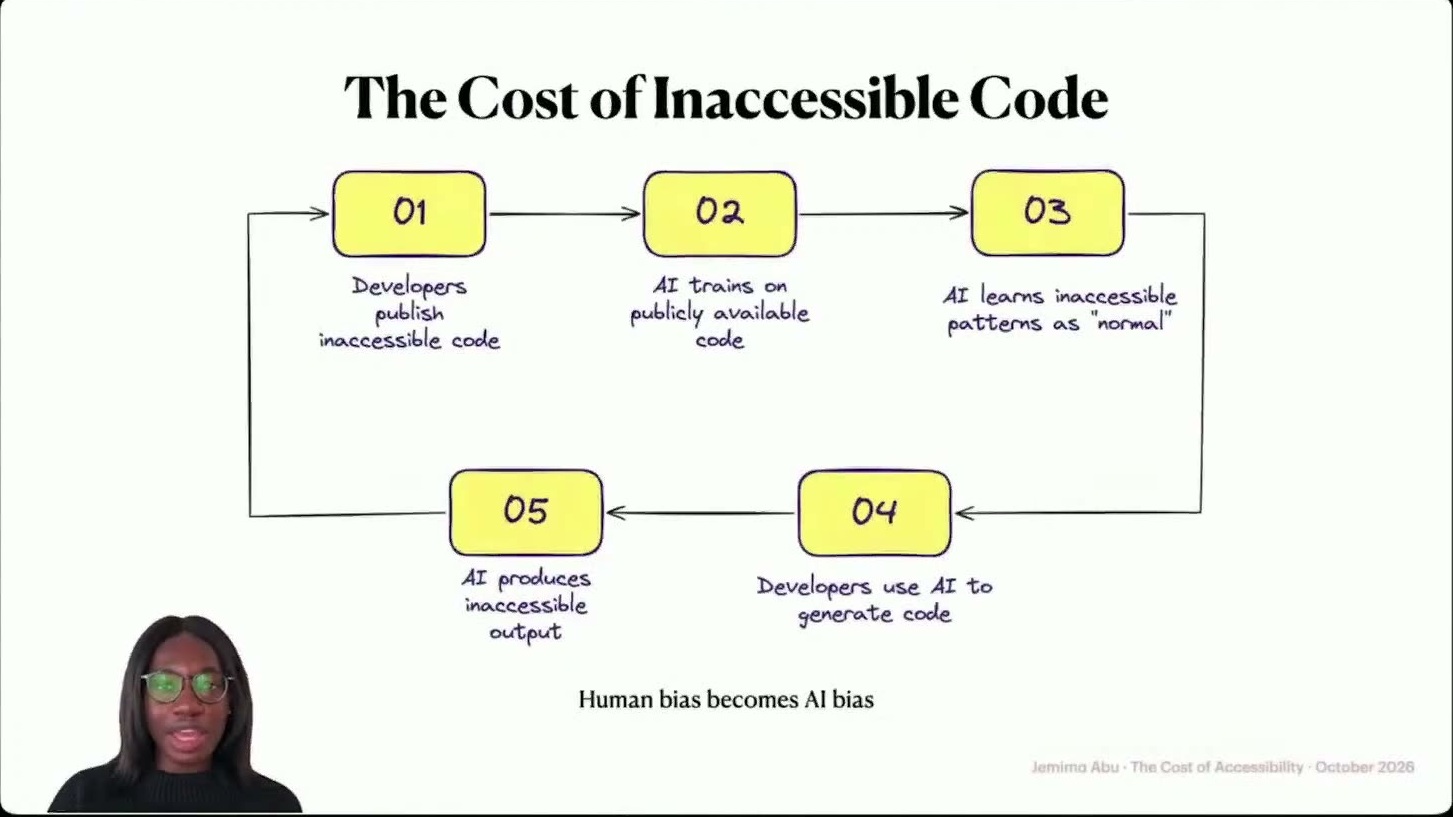
我们来看看,在没有给智能体任何指导的情况下让它们开发产品会发生什么。首先,人类的偏见会变成 AI 的偏见。多年来,人们一直在开发无法无障碍使用的网站或产品,坦白说,就是因为我们不会那样思考。尤其是开发者,我们往往抱着“在我这里能用”的心态。我会想:这东西在我的笔记本上能用,也按我设想的方式运行,我就不再检查其他情况。我不关心它能不能被屏幕阅读器使用,也不关心它在低光照环境下能否正常工作。我只觉得:能运行,做完了。你要是一直这样构建,或者代码库反映了这种心态,一旦把 AI 智能体放进这个代码库,它就会吸收你的所有偏见。它会说,噢,我们不用让这些东西无障碍,因为以前根本没人提过,所以我就随便构建;你越是用 AI 智能体生成代码,就越会构建出本质上无法无障碍使用的代码库,因为一开始根本没有把无障碍访问设为约束。其次,这是我在实验中注意到的一点:
So let's take a look at what happens when we don't provide any form of guidance for our agents in developing products. Firstly, human bias becomes AI bias. For years, humans have been developing websites or products that are inaccessible because frankly we just don't think that way. Especially as developers, we tend to have a it works for me mindset. So I'm like, this thing works on my laptop and it works the way I intended it to work and I'm not going to check anything else. I don't concern myself with if it works for screen readers or if it works in low-life environments. I'm just like, it works, it's built, I'm done. Whenever you build like that or if you have a code base that reflects that kind of mentality, once you put an AI agent in that code base, it's going to absorb all your biases. It's going to say, oh, we don't need to make these things accessible because that has not had a mentioned in the past so i'm just going to build things anyhow and then the more you use that ai agent to generate codes the more you build a code base that is inherently inaccessible because accessibility was never constrained in the first place secondly and this is something that i really
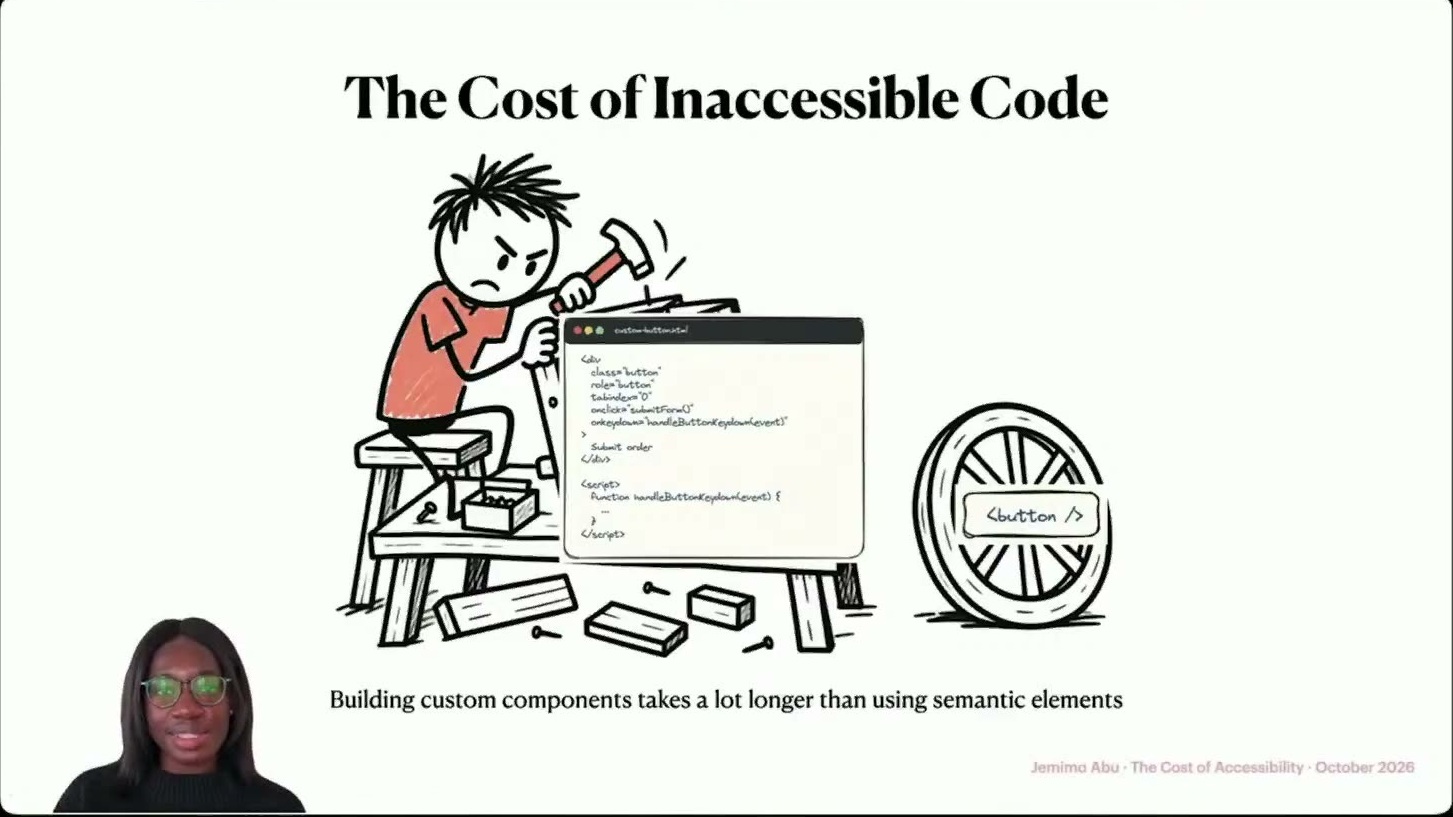
如果不给智能体任何具体提示或指南,AI 往往会默认生成大量冗长代码。它想重新造轮子多少次都行。所以,即使你告诉它只做一个简单的手风琴组件或模态框组件,它也不会费心检查是否已有语义化元素能提供同样的功能。它会从头开始做一个。是啊,它就是喜欢写代码,所以会大写特写;它想写多少就写多少。正如你们看到的,如果要重新实现一个语义化元素,就要花更多时间和精力,因为第一,你得进行更多测试;你还得实现更多功能来复现原生功能,整个过程非常繁琐。因此,这也是你给智能体提供提示时需要确保
noticed in the experiment ai tends to default to a lot of verbose code if you don't provide any particular prompts or guidelines for your agent it will reinvent the wheel as many times as it wants to so even if you tell it just build a simple accordion component or build a modal component it's not going to bother checking is there already an existing semantic element that can give me the same functionality it's just going to build one from scratch yeah it loves to write code so it'll go off and write as many things as it wants and as you can see here if you are trying to recreate a semantic element it takes a lot more time and effort because number one you have to carry out a lot more testing you have to implement a lot more features to replicate the native functionality and it's just a very cumbersome process so this is part of the things that you want to ensure you're
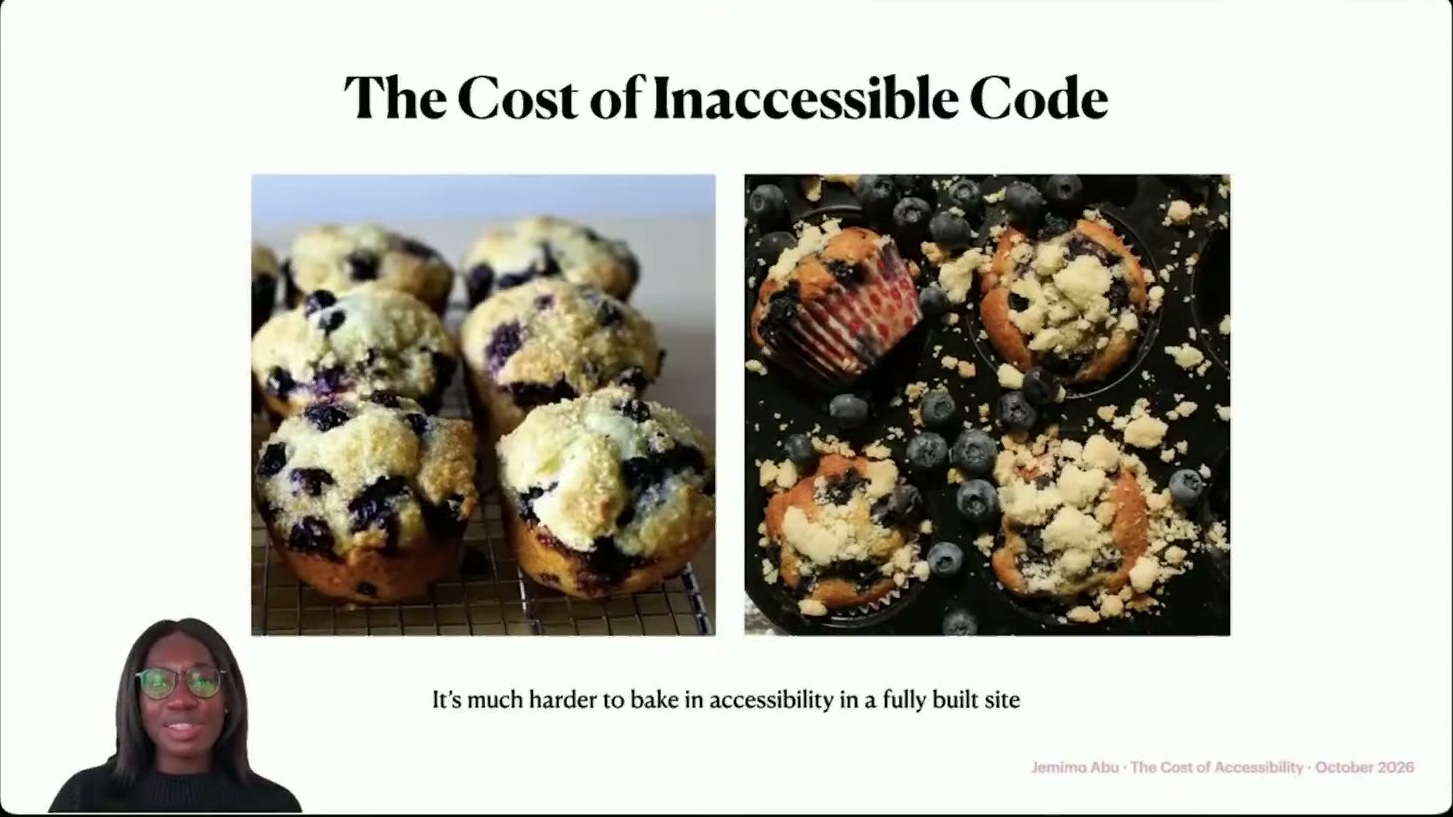
我曾听过这样一个比喻:无障碍网站就像蓝莓松饼。如果有人递给你一个普通松饼,然后往上塞了一堆蓝莓,就像右边那张图那样,那不算蓝莓松饼。要想做成左边那种真正的蓝莓松饼,就得从一开始就把蓝莓烤进里面。无障碍网站也是一个道理。如果网站已经完全建成,然后才在各处塞入 ARIA 标签,那就不算一个无障碍网站。要让网站无障碍,就必须把无障碍访问放在每个构建环节的最前面。这不仅适用于开发者。无障碍访问是所有人的责任。因此从业务构想、设计到QA,我们都要确保关注无障碍,并测试产品是否能让所有人以完全相同的方式使用。事实上,如果等到最后才考虑无障碍访问,就会在回归测试上浪费大量时间。如果等网站完全建成后再开始测试、回头修复问题,最终就得重构并重写比从一开始就按无障碍要求构建时多得多的代码。
focusing on when you're providing prompts to your agent. I saw an analogy once that said an accessible website is like a blueberry muffin. If someone hands you a plain muffin that they've shoved a bunch of blueberries on, similar to the picture on the right, that's not a blueberry muffin. For it to be a proper blueberry muffin like the one on the left, then the blueberries need to have been baked in from the start. It's the same thing on an accessible website. If you have a fully built website and then once it's done you start shoving in ARIA labels in different places, that is not an accessible website. For it to be an accessible website, you need to put accessibility at the forefront at every build process. And this does not just apply to developers. Accessibility is the responsibility of everyone. So we want to make sure that even from the business idea to design to QA, that we're ensuring that we're looking for accessibility and testing that can this product be used by everyone in the exact same way. And that actually we're waiting to the end to consider accessibility is that you waste a lot of time on regressive testing. So if you've waited until your website is fully built and then you start testing and going back to fix issues, you end up refactoring and rewriting a lot more code than you'd have had to do if you just built it to be accessible from
当然,构建无法无障碍使用的产品还会带来商业后果。
the start. And then of course there are business consequences to building inaccessible products.
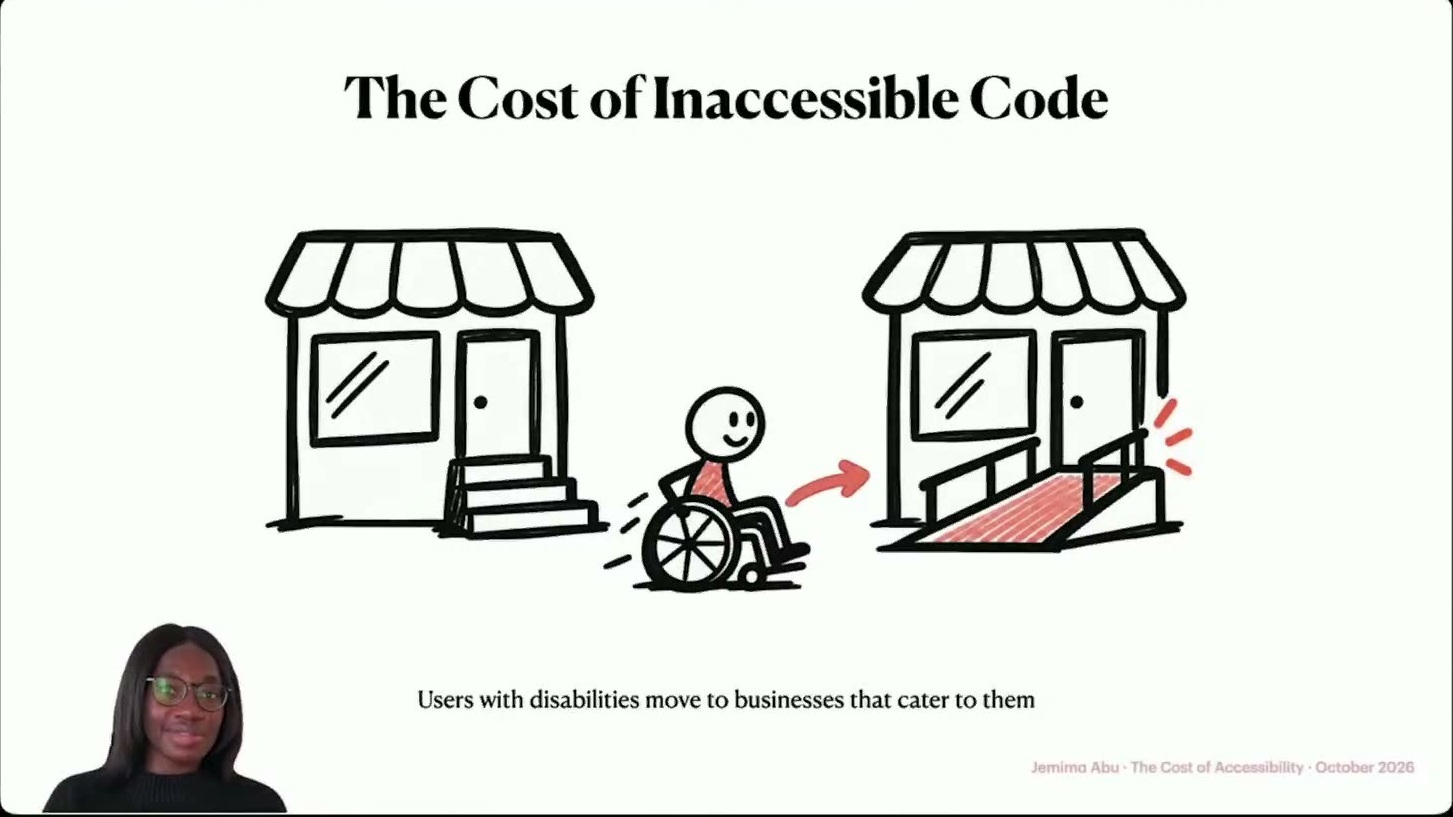
我有时会听到企业说:“可是我们不必考虑无障碍访问,因为我们的用户都不依赖辅助技术。”对此我觉得很好笑,因为这有点像自我实现的预言。并不是用户不依赖辅助技术,而是使用辅助技术的人根本无法使用你的网站,所以他们压根不会访问。想象一家没有门的企业。那样你根本不会有顾客。他们怎么进大楼?构建无法无障碍使用的产品也是一样。如果你构建的产品人们无法使用,他们就不会使用。
The thing I hear sometimes is that a business might say oh but we don't have to consider accessibility because none of our users rely on assistive technologies. And I think that's very funny because it's sort of a self-fulfilling prophecy. It's not that your users don't rely on assistive technologies. It's that people with assistive technologies cannot use your website in the first place so they just never go to it. Imagine a business that didn't have a door. You would never get any customers. How would they get in the building? It's the same thing with building an inaccessible product. If you've built a product that people cannot use, then people will not use it.
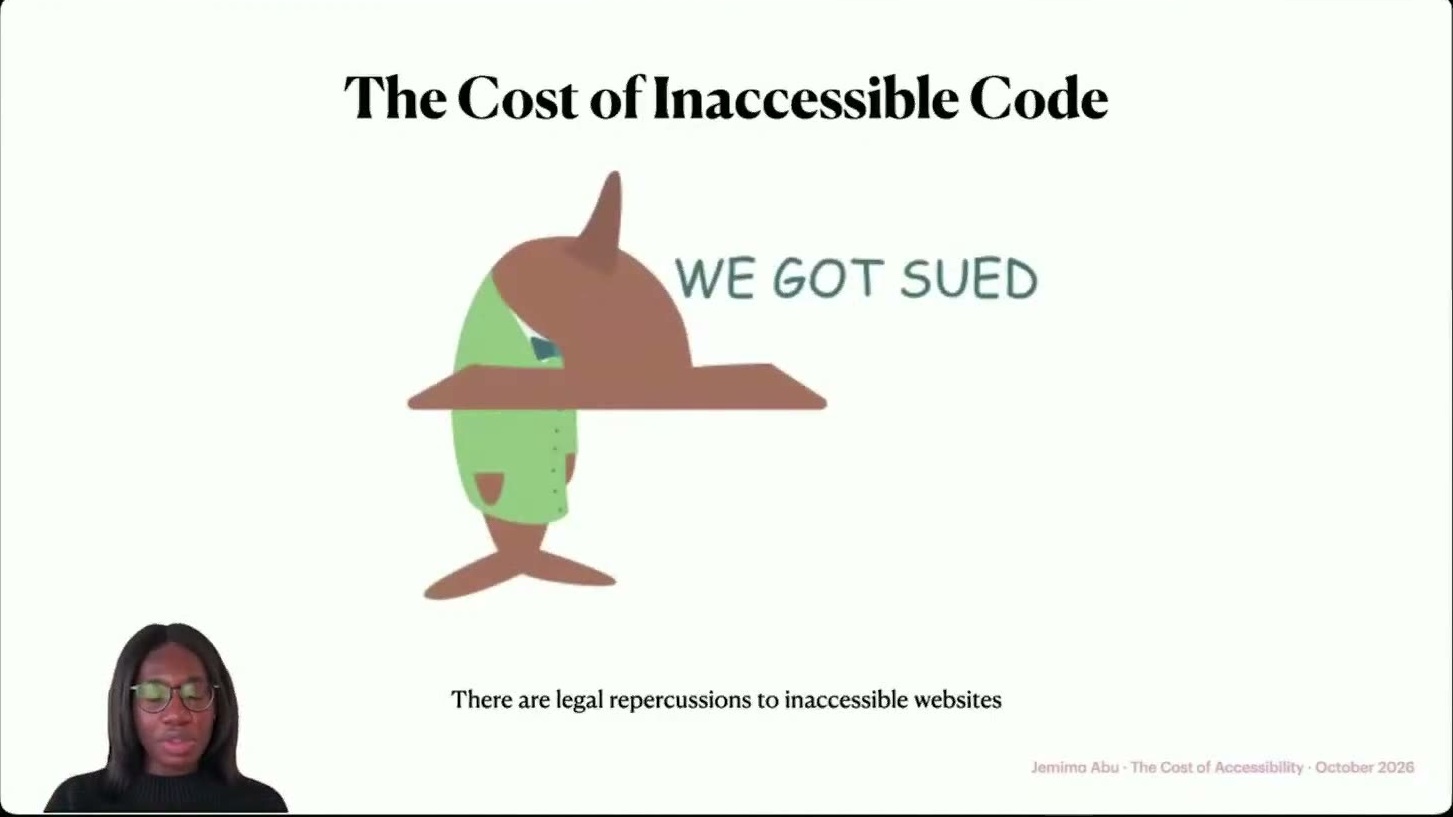
最后,不让网站具备无障碍访问能力还会有法律后果。在美国,《美国残障人士法案》(Americans with Disabilities Act)规定,任何面向公众的产品都必须无障碍,且残障人士必须能够使用。否则你可能面临罚款,甚至诉讼。不过好的一面是,你还可以在 Microsoft Teams 里用这个特别可爱的贴纸。你知道,至少还能……(原文此处转写不清)从这些内容可以看出,构建产品的成本实际上高得多。如果产品无法无障碍使用,你就会面临客户流失造成的收入损失,也可能遭遇诉讼,并被罚款。你还要花更多时间写代码、重构。所以,如果从一开始就让产品具备无障碍访问能力,开发速度会快得多,而且还会大幅
And then finally, there are legal repercussions to not making your website accessible. In the United States, the Americans with Disabilities Act states that any public-facing product must be accessible and can be used by people with disabilities, or you could face fines and even lawsuits. But on the plus side, you could get to use this really cute sticker on Microsoft Teams. So, you know, where you're off from. Based on all this, we can see that it actually is a lot more expensive to be building products that aren't accessible. You're exposing yourself to losing money from customers, possible lawsuits where you have to pay fines. You're spending more time building code and refactoring things. So if you do build your product to be accessible from the start, it's going to be a lot faster and a lot
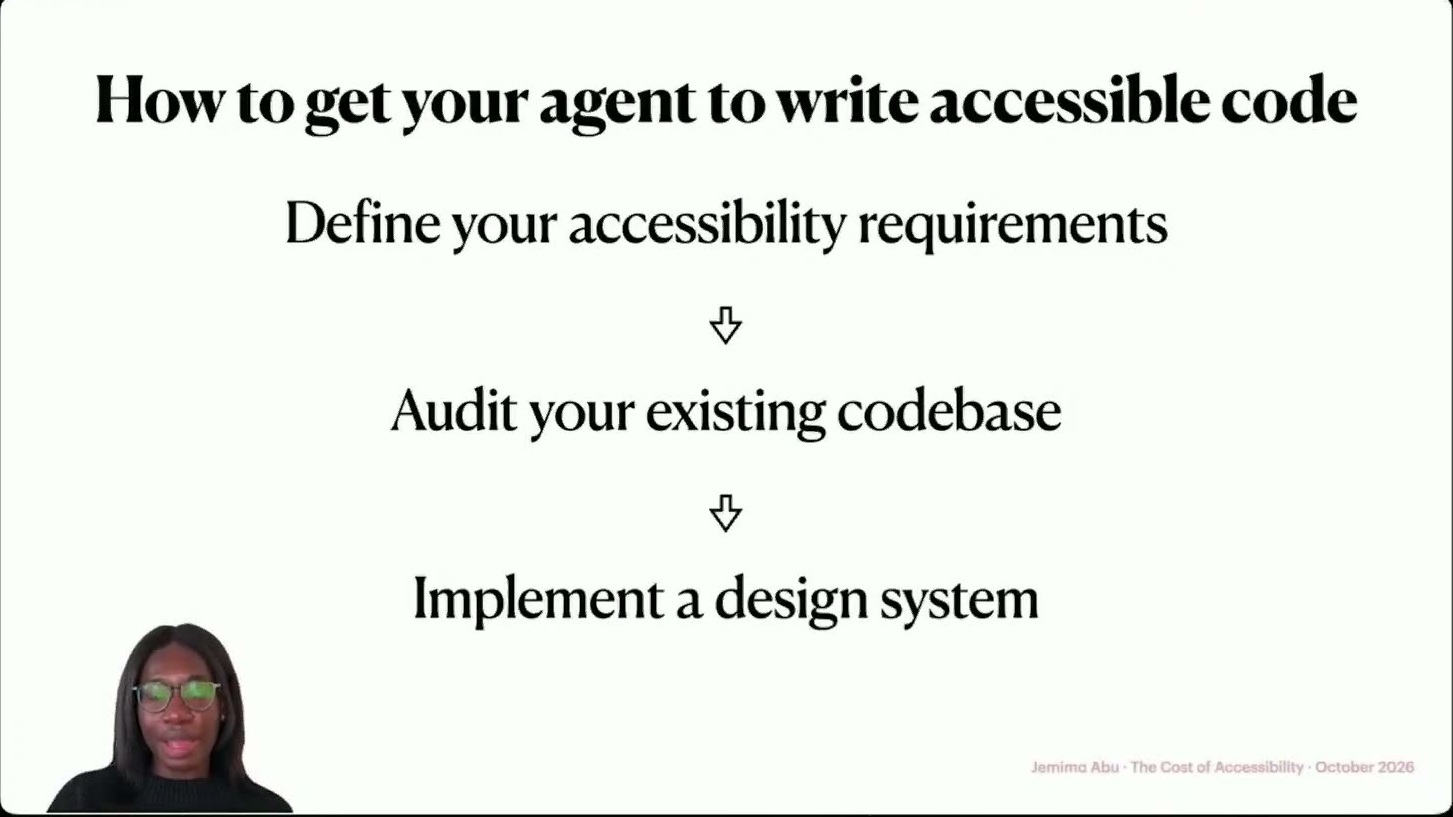
降低成本。既然我们知道了这些,怎样才能确保 AI 智能体正在构建无障碍产品呢?每个代码库都不一样,我们可能使用不同的技术,所以我只想给出一套总体、通用的建议,说明如何让智能体生成无障碍代码。首先,你需要定义无障碍访问要求。无障碍访问要求因你所用的平台而异。因此你需要开展研究,并确保清楚自己应该遵循哪些无障碍要求,以满足你所构建平台的要求。之后,你需要审查现有的代码库。如果你要把 AI 智能体引入代码库,就要确保没有既有问题会被智能体照搬,并误认为是最佳做法。你可以使用自动化工具做无障碍测试,或者直接让AI 智能体来做,但在开始编写新功能之前,你不会先找出并修复现有问题。
cheaper. So now that we know all that, how can we actually ensure that our AI agents are building things to be accessible? Because everyone's code base is different and we can be working with different technologies, I'm just going to give an overarching general view of how to get your agents to produce accessible code. So firstly, you need to define your accessibility requirements. Accessibility requirements differ based on what platform you're working on. So you do need to carry out research and ensure that you know what accessible requirements you're supposed to be meeting for the platform you are building for. Once that's done, you need to audit your existing code base. So if you're going to introduce an AI agent into your code base, you need to ensure that you don't have any pre-existing issues that the AI agent might copy as what it thinks is best behavior. So you can use automated tools to carry out accessibility testing, or you can even tell your AI agent to do it, but you won't identify any existing issues and then fix them before you start
接下来,你需要构建某种可复用系统。这是很好的补充,不过,基本上如果你要处理无障碍访问问题,就会更容易修复一个会在多处使用的组件,而不是在不同文件里分别修复相同的组件。因此,只要实现了设计系统或任何形式的可复用组件库,长远来看就能节省更多时间,
writing new features. Then you want to implement some sort of reusable system. This is a very nice to have, but basically if you're going to be working with accessibility, it's a lot easier to fix things in one component that is used in multiple places, as opposed to making fixes to the same components across different files. So just having an implemented design system or any form of reusable component library is going to save you a lot more time in the long run
尤其是在让产品具备无障碍访问能力时。最后,你要强制要求使用无障碍访问技能。每当运行任何可能涉及生成 UI 或编写需要符合无障碍要求的代码的任务时,AI 智能体基本上都会用到这项技能。我很喜欢使用 Chrome 推出的 Modern Web Guidance 技能。它基本上是一项能确保智能体使用最新 HTML 和 CSS 功能,而不是自定义 JavaScript
when making things accessible. And then finally, you want to enforce a mandatory accessibility skill. This is a skill that your AI agents will basically use anytime you're running anything related to maybe generating UI or writing code that requires accessibility. One skill that I really like to use is the Modern Web Guidance skill from Chrome. It's basically a skill that ensures that your agent is using the newest HTML and CSS features as opposed to custom JavaScript
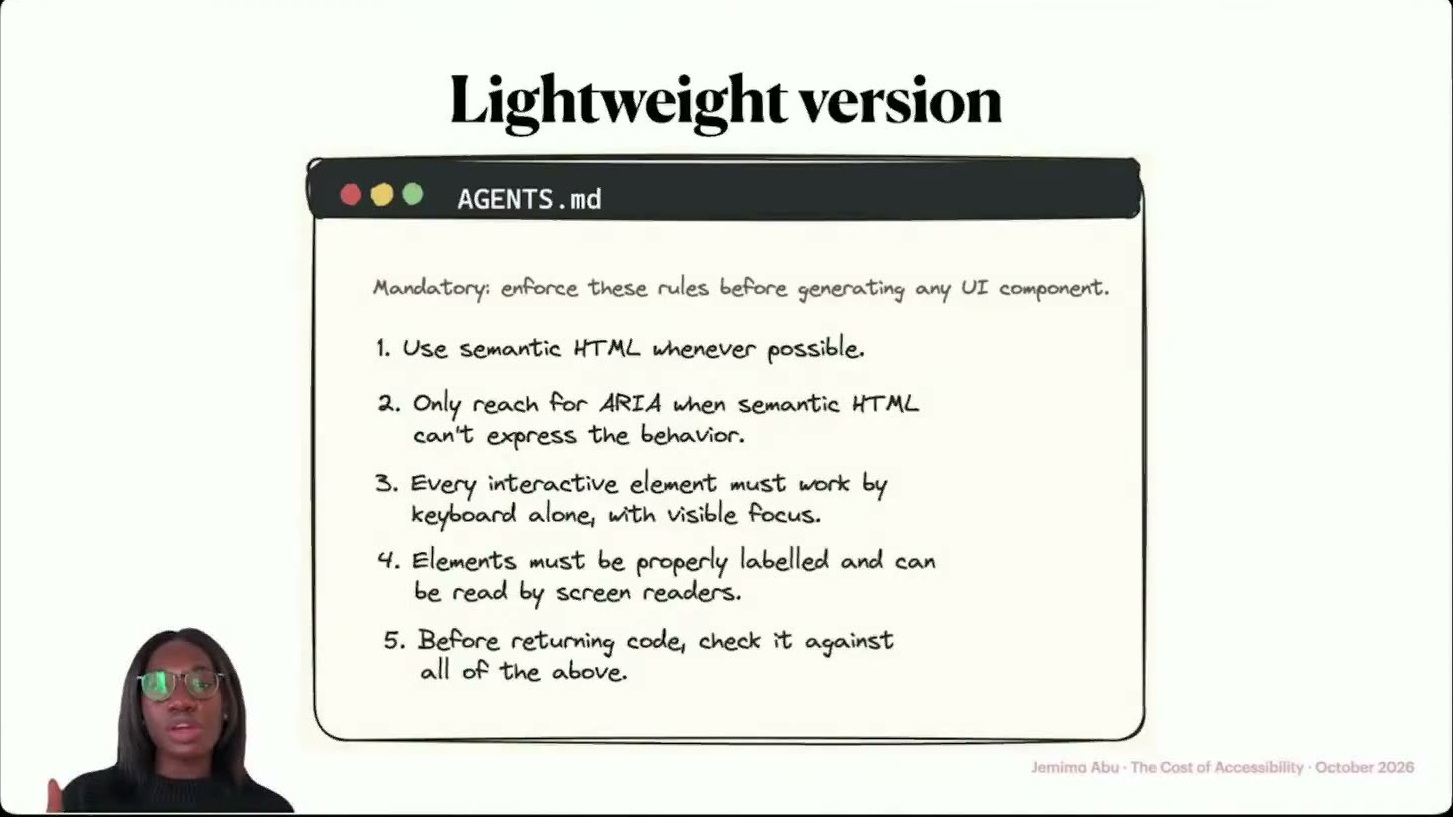
实现的技能。你也可以准备一个轻量版的无障碍技能。我认为这非常重要,尤其是你在做氛围编程、没有使用大型代码库,只想给智能体一些快速参考,不希望它进行大量深入研究时。以下是我建议用来满足无障碍最低要求的做法:尽可能使用语义化 HTML;只有在语义化 HTML 无法表达相应行为时才使用 ARIA。每个交互元素如果可以用鼠标操作,也必须可以用键盘操作。你还要确保这些元素有合适的标签,并且能被屏幕阅读器读取。最后,在运行代码前,
implementations. You can also have a lightweight version of an accessibility skill. I think this very important especially if you're like vibe coding where you're not working in a big code base you just want something quick that your agent can refer to and not carry out a lot of in-depth research this is what i would recommend for meeting like bare minimum accessibility requirements so you want to make sure that you're using semantic html wherever possible only reaching for aria when semantic html can't express the behavior every interactive element if it can be operated by a mouse it should also be operated by a keyboard you want to make sure that elements are properly labeled and can be read by screen readers and then finally before running the code
让智能体对照上述所有步骤进行审查。当然,这还不足以构建一个完全无障碍的网站。你仍然需要自己进行大量手动测试,因为没有任何一个工具能够让网站完全无障碍。但只要具备这些技能,
your agent to carry out an audit against all those steps. Of course, this is not enough to build a fully accessible website. You still need to carry out a lot of manual testing yourself because it's not possible for one tool to make a website fully accessible. But just having these skills in place
效果就会比完全没有好得多。无论你为什么使用 AI,通常目标都是解决某个具体问题。因此要确保你的解决方案尽可能对更多人有用。所以要构建无障碍产品。我的内容就到这里,非常感谢大家收听我的演讲。希望你们喜欢。如果有问题,欢迎在线联系我,账号名是 Jemima Abu,可以在 LinkedIn、Twitter 或 GitHub 找到我。我很乐意听到你们的消息。好了,再见。
can help a lot more than not having them there at all. Regardless of why you use AI, most times the goal is to solve a particular problem. So just make sure that your solution is useful to as many people as possible. So build things to be accessible. And that is all. Thank you so much for listening to my talk i hope you enjoyed it if you do have any questions feel free to reach out to me online at jemima ambu that's linkedin twitter or github i would love to hear from you okay bye