拜托……别再用粗糙的一次性 SaaS 替代品了
Please… Enough with the Sloppy, One-Shot SaaS Replacements
原文由官网提供,中文由 GPT-6 Luna 翻译。相邻片段合并排版,正文与时间点保持对应。
已插入 10 张经核对的幻灯片或演示截图;点击图片可放大。图注链接为当前视频时间,左侧正文时间保留原转录版本,二者可能不同。
共 22 个阅读段落
人们说 SaaS 已经死了,这话说了有一阵子了。现在这都算不上什么新鲜观点。既然你可以自己开发工具,为什么还要花钱请别人来开发和维护?只要让智能体帮你做就行了。但我觉得有一件事很少有人提到。那就是一次性生成出来、能够运行的软件,和我真正愿意使用的软件之间,还存在很大差距。真正让人开心、打磨精良、使用体验舒适的软件。我曾经尝试替换 Railway 内部使用的一些 SaaS 服务,主要是用于营销工作。我自己构建了一个一体化工具供我们使用。它可以管理内容,包括 Railway 网站、更新日志和博客。
People have been saying that SaaS is dead for a while now. It's not even a hot take at this point. Why pay someone to build and maintain the tools you use when you could just do it yourself? Just ask your agent to do it. And for me, there's one missing piece that rarely gets mentioned. And it's the fact that there's a gap, a big gap between working software that got one-shotted and software I would actually use. Software that sparks joy, that is polished, that feels good. And I actually went on a journey to replace a bunch of SaaS providers we were using internally at Railway for marketing purposes. And I just built an all-in-one tool that we use. The tool allows us to manage content for the Railway website, change log, blog.
我们可以用它发邮件,同时在所有社交平台上发布内容,还可以管理网站媒体资源。
We can use it to send emails, post on all of our social platforms at the same time, manage the website's media.
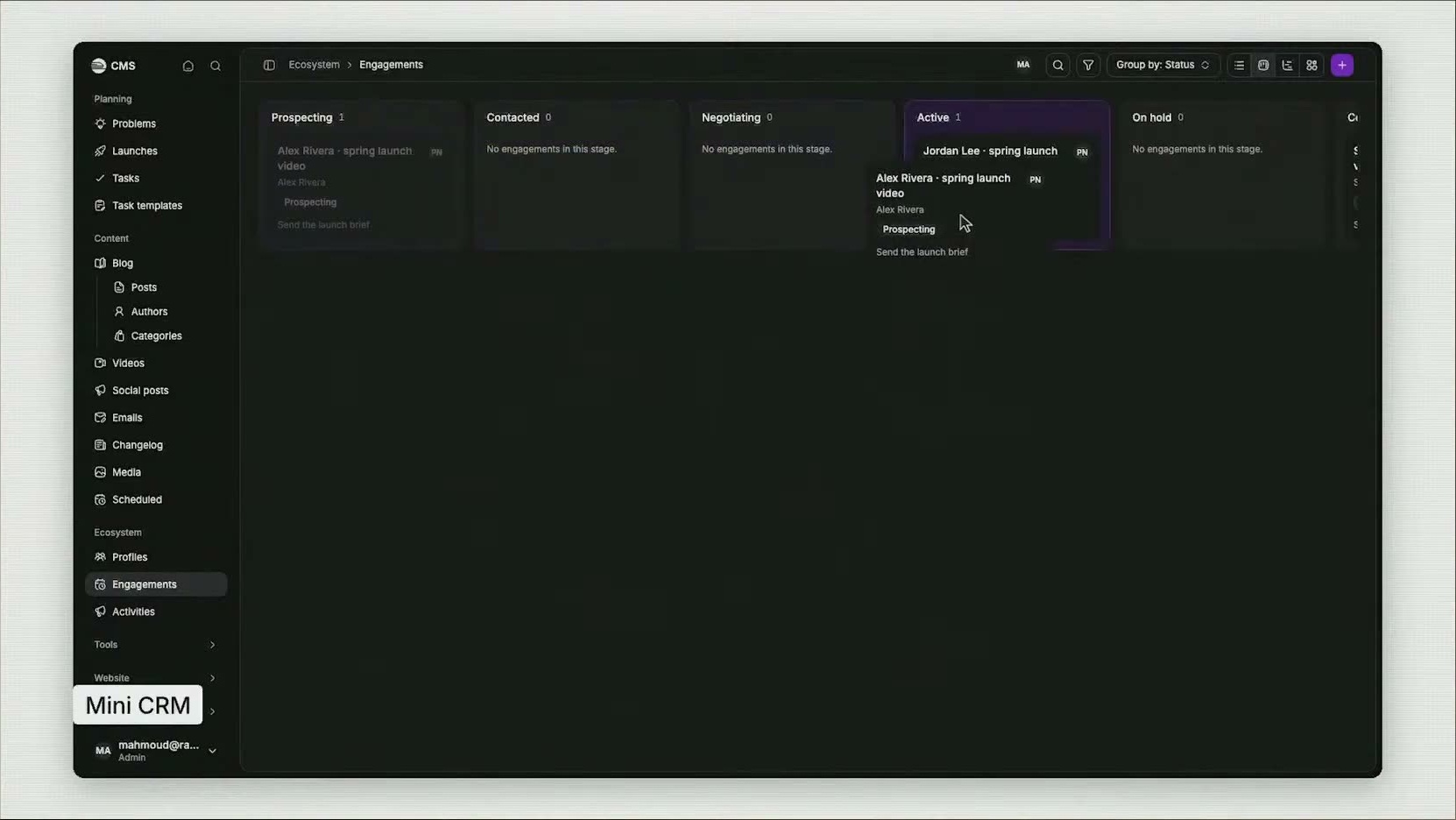
它甚至有一个小型 CRM,让我们在和外部创作者合作时能够追踪相关事项。它还支持任务追踪和发布规划,因为你需要协调多项工作,安排各自的发布时间,还需要日历。此外还有评论、实时协作编辑等功能,整个工具都是用
There's even a mini CRM so that when we're working with external creators, we can keep track of that. There is task tracking, launch planning, because you wanna coordinate multiple things and when they'll go out, there's a calendar. and at the same time there's like comments real-time editing and it's all built using
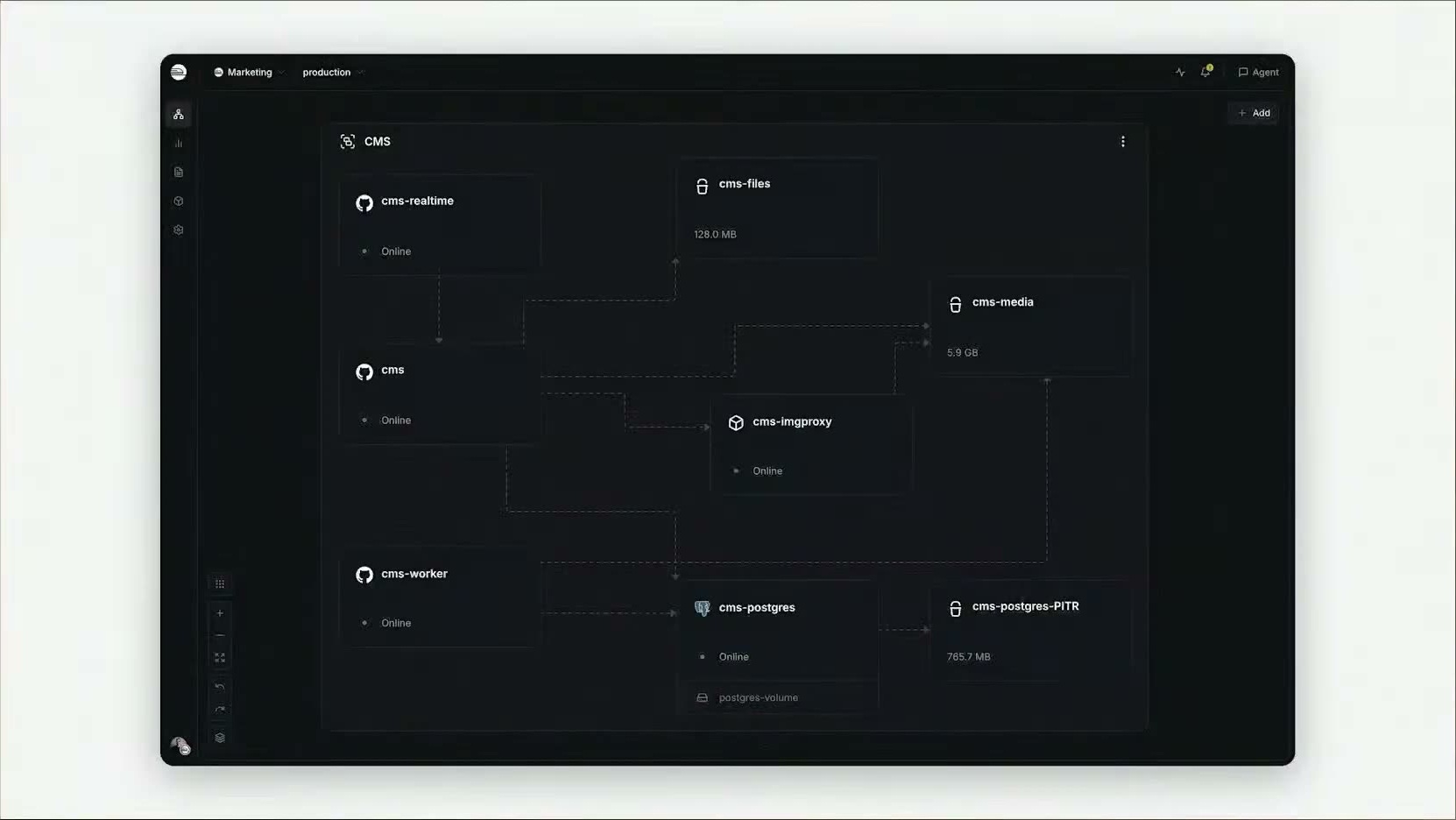
智能体构建的。我觉得 GPT-6 发布时是个突破,所有服务都运行在 Railway 上。所有内容都会自动部署。接下来我会介绍自己采用的原则,确保每次添加新功能时,它确实打磨到位,与应用其他部分保持一致;也会介绍一些你可以借鉴、应用到自己工具构建过程中的原则。我不想在无聊的办公室里做这场演讲,所以决定换个环境,来到户外。现在风景美极了,我人在苏格兰爱丁堡。我坐在户外长椅上,眼前就是这番景色;这张长椅绝对能打 10 分(满分 10 分)。
agents i would say i felt the breakthrough when gpt6 came out and all of this is running on railway everything just auto deploys and let me essentially now walk you through the principles i use to actually make sure that when i want to add a feature it's you know actually polished and matches the rest of the app and at the same time the principles that you can pull from and apply when building tools of your own so instead of doing my talk from my boring office i decided to switch things up and do it outside it is absolutely beautiful right now i'm in edinburgh scotland and it's just unreal like i'm on a bench outside and this is my view definitely a 10 out of 10
说真的,这类演讲让我觉得和以往不太一样,因为我会带大家回顾我构建内部工具的经历,以及我由此形成的观点。但我也知道行业变化非常快,所以我说的任何事情几个月后都可能完全改变。谁知道呢?所以把这当作免责声明吧。录制时是 2026 年秋季,10 月。好了,进入正题。第一点是:技术栈并不重要。很多人会说,你用什么编程语言、什么框架都无所谓,只要让智能体做任何事情,它都能做到。
bench. Now, this type of talk for me feels a little bit different than what I'm used to, because I essentially will walk you through the journey of me building our own internal tools and the opinions I've developed. But I also understand that the landscape changes very, very quickly. So like anything I say might change completely in like the span of months. Who knows? So I don't know consider this my disclaimer like but the time of recording is fall 2026 it's october and yeah so anyway with that out of the way uh let's talk about the first point which is text acts don't matter now a lot of people say that it doesn't matter what programming language you use what framework you use you can just ask your agent to go do anything and those are able to do it
我在一定程度上同意。但如果你构建的是自己真正会用的工具,给智能体一个抽象层次扎实、结构良好的代码库,那么你在开发新功能时,最终得到的结果会更加一致,也会和之前构建的内容相似。原因其实很简单。智能体不必每次添加新功能时都重新发明轮子,也不必引入新的模式。它只需要遵循现有模式。至于选择哪种技术,只要代码库结构合理,我觉得就没那么重要。
And while I agree to some extent, what I found is when you're building a tool that you will actually use, when you give the agent a proper code base with solid abstractions, what ends up happening is whenever you're working, let's say, on a new feature, you end up with a much more consistent result that is similar to what you've already built before. And the reason is, like, it's very simple. The agent doesn't need to reinvent the same, like, wheel every time it tries to add a new feature, or it doesn't need to introduce new patterns. It will just essentially follow existing patterns. And when it comes to, like, what you choose, I feel like it kind of doesn't really matter as long as you have a code base that is properly structured.
不过我目前的首选是:开发网页时使用 TanStack 系列库。如果你要构建内容相关的产品,我肯定会推荐 Payload。体验扎实,抽象设计出色。有段时间我花了很多精力比较各种 CMS,因为虽然我有能力从零构建,但我不认为应该这么做。不过还是那句话,谁知道呢?未来可能会变。这就是我遇到的第一个主要问题。当你使用许多自己真正喜欢、每天都会用的 SaaS 产品时,作为用户,有很多细节你不会注意到。但当你真的试着复刻它们的体验时,很快就会发现,每种流程背后都投入了多少心思。
But my go-to choice today is, one, TanStack libraries for anything when building on the web. And if you're building anything content-related, I would say definitely go with payload. Solid experience, great abstraction. I went down a big rabbit hole of comparing CMSs at some point because I don't believe that I should build it from scratch, even though I can. But again, who knows? Maybe the future will change. but yeah and that's kind of like the main first item that i kind of ran into when you use like a lot of sas products out there that you actually love they use every day when you're a user there's like a lot of things you don't notice but when you actually try to like replicate an experience you quickly find out how much care and thought goes into different flows
比如一个很简单的功能:“我想发封邮件”或“我想发布点内容”。用一个传统的服务端渲染应用和提交表单,就能轻松做到。但如果你要构建一个每天都会用、经常会打开的工具,你就会觉得:“它用起来不应该是这种感觉。”我发现有很多设计模式,除非你明确要求,否则智能体通常不会主动采用。这是我的清单,我们逐项来看。
So something as simple as, oh, I want to be able to send an email or to publish something. You can easily do it by having a good old server-side rendered app with forms that you submit. But if you try to build something that is going to be used every day that you will reach for a lot, you're like, oh, it shouldn't feel that way. And there are kind of like a bunch of patterns that I found that agents don't typically do unless you explicitly ask them to. And this is my list. So we'll go through them one by one.
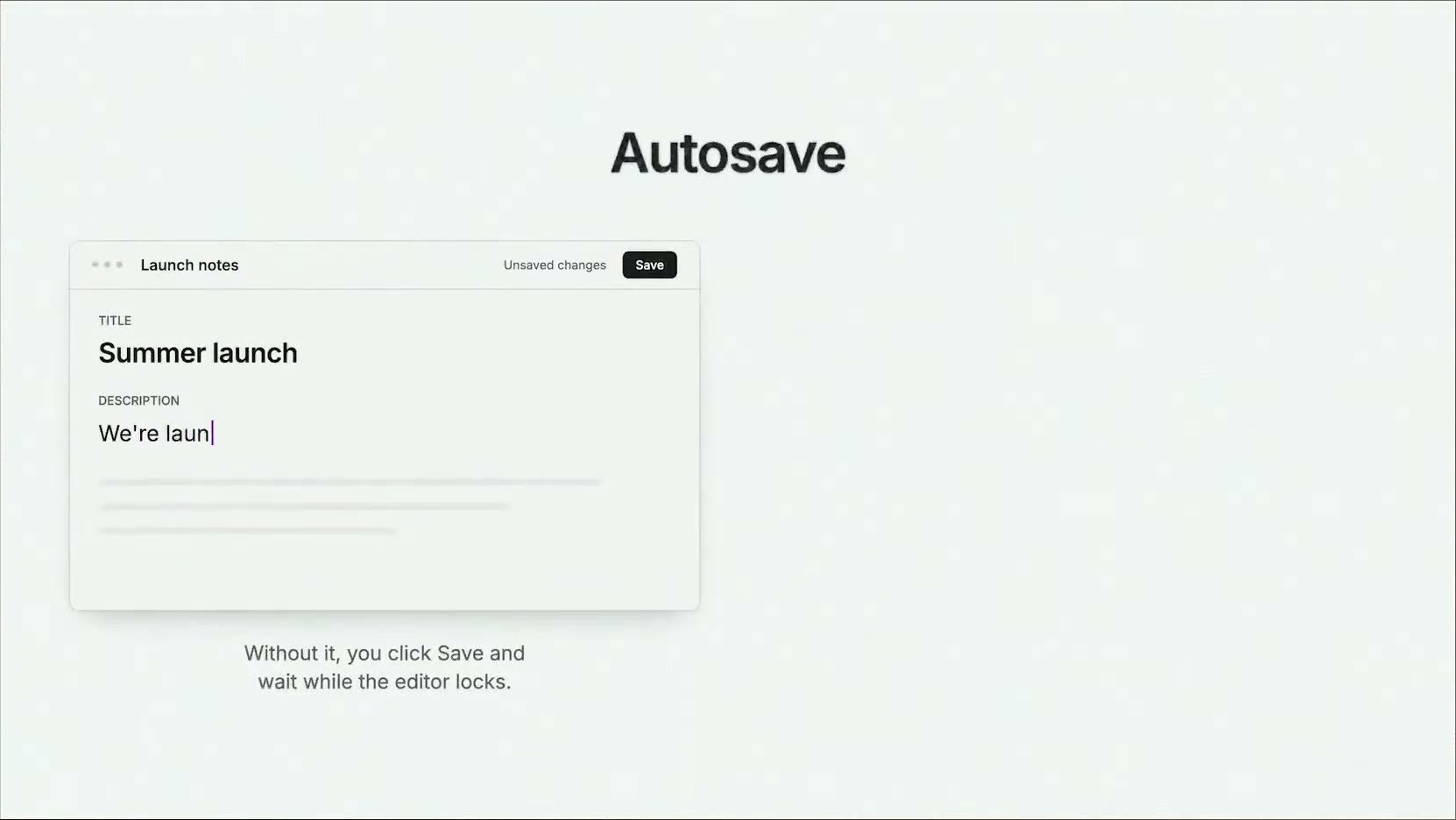
第一项是自动保存。比如,我在构建文档编辑器时,自动保存就像表格状态功能。不用手动点击保存,只要让它在后台自动保存进度,并确保这是个不会阻塞操作的行为。这样你就可以边打字边编辑,内容会自动保存。还可以更进一步:如果有尚未保存的危险更改,就阻止浏览器标签页关闭。这两个保护层能确保你正在处理的内容不会丢失。
And the first one is like autosave. I found that if, like, let's say I'm building some form of document editor, autosave is kind of like a table states feature. So rather than manually clicking save to save things, you just ask it to automatically save progress in the background and to make sure that it's like a non-blocking action. So that you can, let's say, as you're typing, you're able to type and then it just automatically saves. And one other kind of like step further that you could do is to also prevent the browser tab from closing if there are unsafe changes. So it's kind of like these two layers that kind of guarantee that whatever it is that you're working on is just not going to be lost.
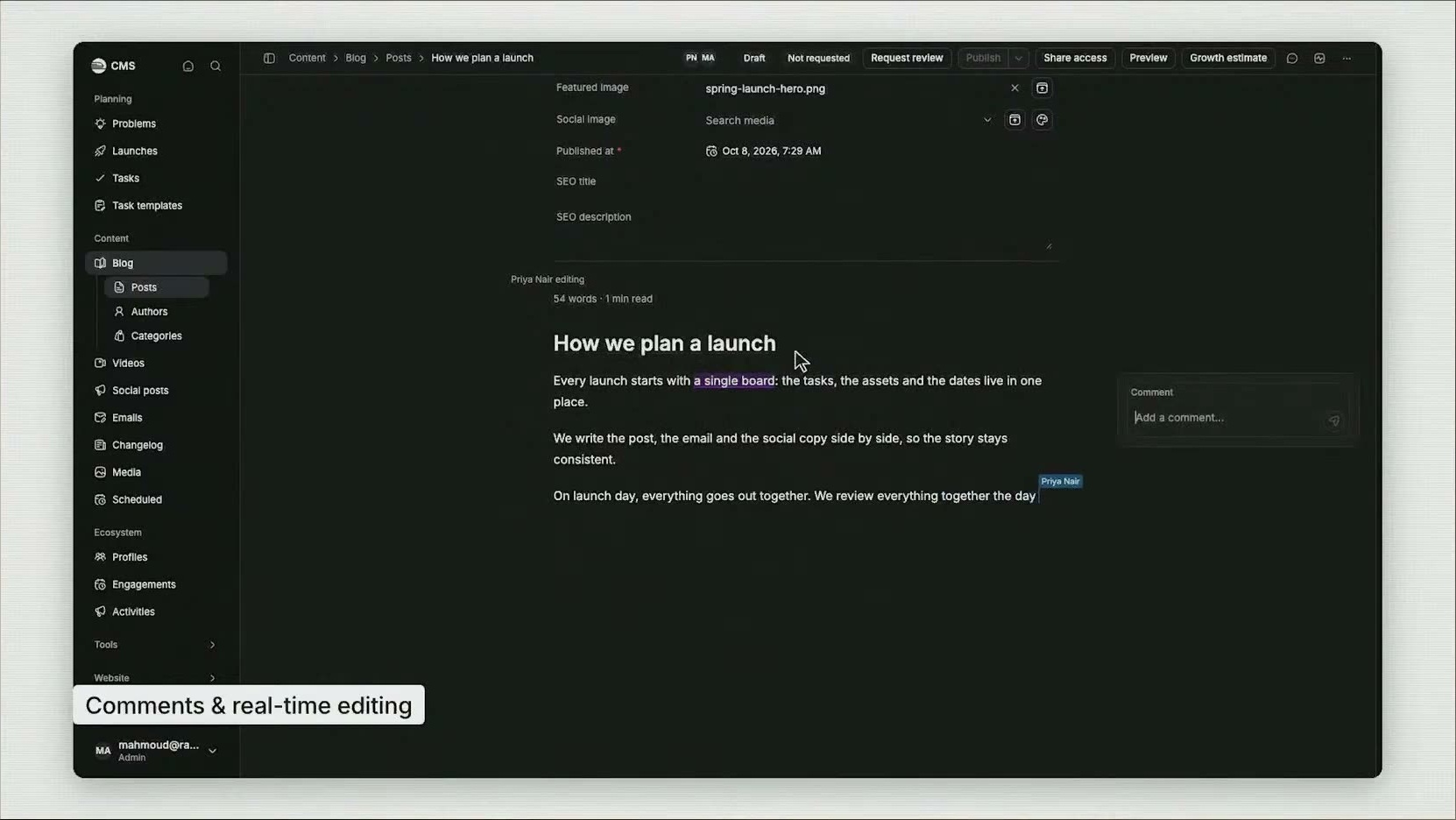
还可以添加实时协作,让多人能够同时编辑。同样,我的智能体在添加这个功能时毫不费力。它就只是询问一些情况,并审查功能如何运作。事情完成后,又花了 700 million 个 token,我就得到了实时协作功能。总的来说,从产品体验的角度看,这是智能体做得不够好的第一件事。
Now, you can also go a step further and to add like real time collaboration so that you can have like concurrent edits. And again, my agent didn't struggle at all with adding the feature. It was like, I don't know, asking about it, reviewing how it would work. And then once that's done, just 700 million tokens later, I had real time. So I would say in general, this is the first thing that I find agents just don't do well from a product experience perspective.
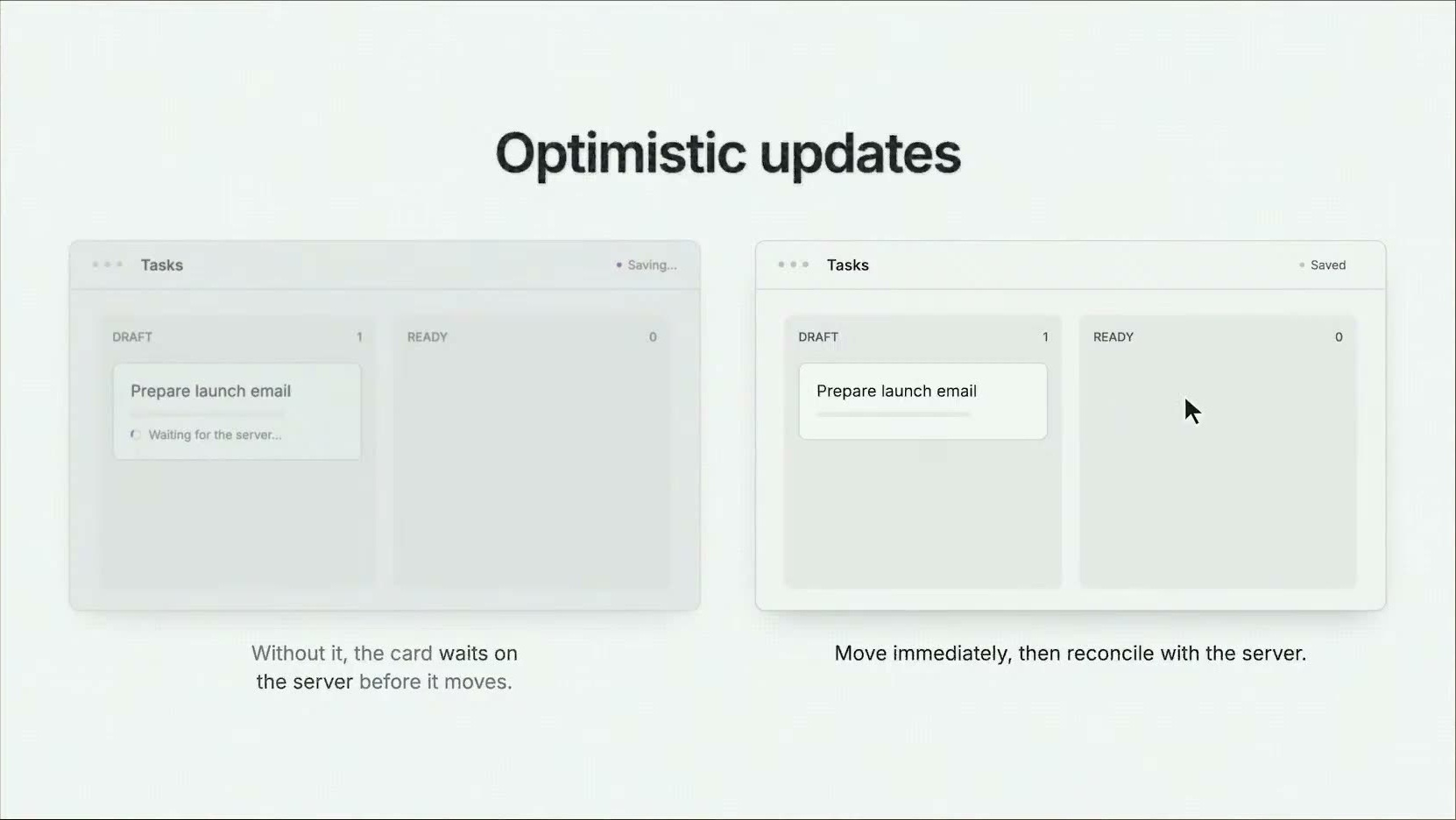
我发现智能体经常完全忘记实现另一种模式:乐观更新。用户采取操作时,不要一直给他们看加载动画,而是先乐观地显示操作成功后的状态。同时在后台同步他们所做的更改。如果同步或操作因任何原因失败,就回滚更改并告诉用户操作未能完成。当然,也不应该不加区分地对所有操作使用乐观更新。有些情况下,应该显示加载动画,让用户等待确认操作是否成功。但通常来说,使用乐观更新会让整体体验快得多,更流畅,也更即时。
Another pattern I found that agents completely forget to implement is optimistic updates. So rather than showing your users a bunch of loading spinner whenever they're taking any action, you essentially show them the success state optimistically. And in the background, you're going to sync whatever change they made. Now, if the sync or the operation fails for whatever reason, you just roll it back and then tell them, like, oh, the operation didn't work. Now, of course, you shouldn't blindly have optimistic updates for everything. There are some scenarios where you want to show the user a loading spinner and they're going to wait to check that everything worked properly. But in general, having optimistic updates makes the overall experience feel significantly faster, much snappier, and it will just feel much more instant.
所以你可以直接告诉智能体:“我希望在适合的地方实现乐观更新。”我们一起制定计划,它会告诉你所有适合这样做的地方。再说一次,智能体实现这个功能并不难。
So pretty sure you can just ask your agent like, hey, I would like to implement optimistic updates where it makes sense. Let's come up with a plan and it will tell you all the areas where it makes sense to do. Again, it's like it's not difficult for the agent to build it.
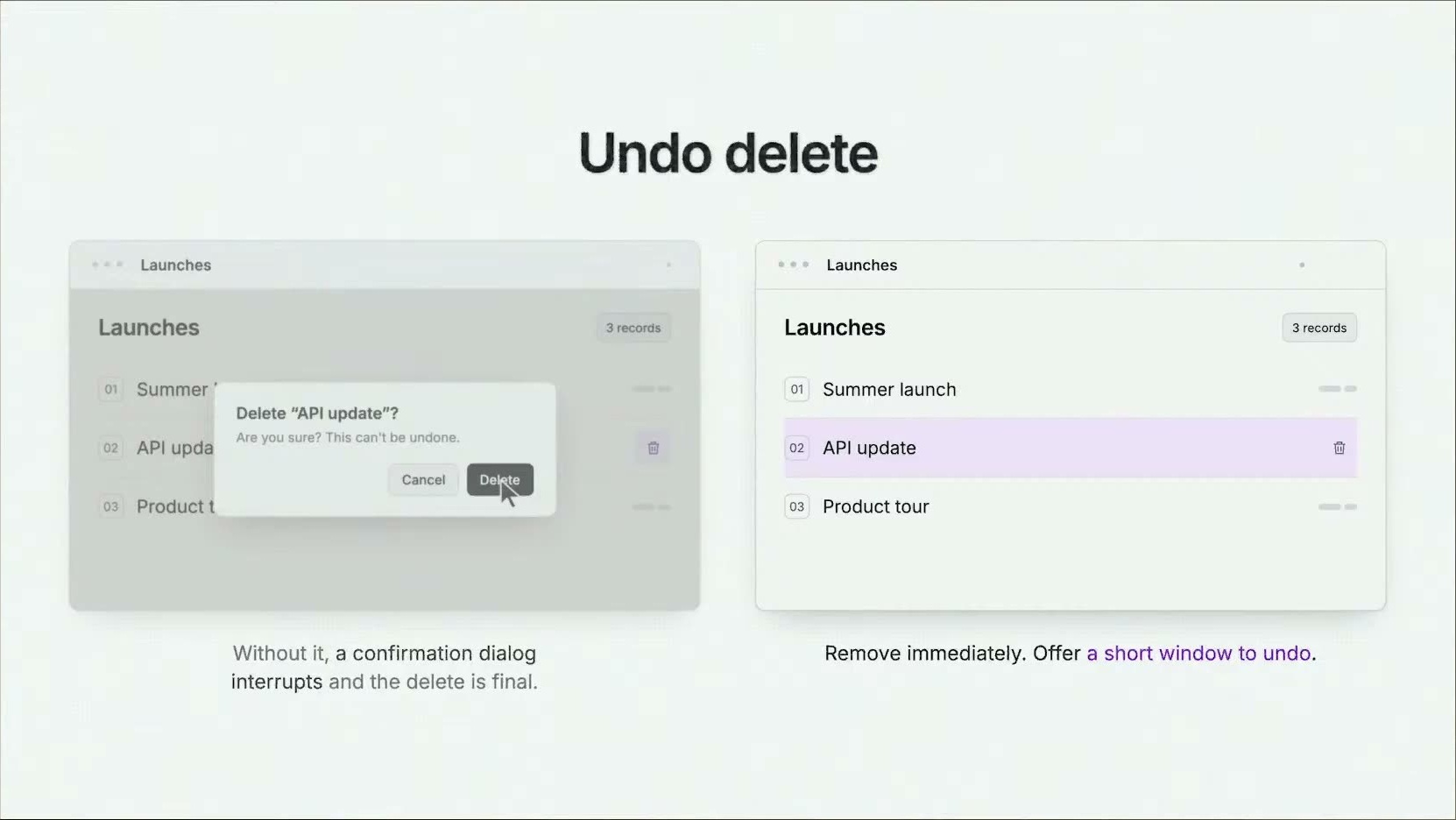
你只需要提出要求,并且明确知道该要求什么。我认为乐观更新的一个延伸是允许用户撤销某些操作。比如,如果你让智能体实现删除记录的功能,它通常会添加一个删除按钮。你点击后可能会看到确认对话框,确认后才真正删除。但更好的体验是允许用户撤销这个操作。用户点击删除时,界面上立即移除对应项目,但你告诉用户:“你还有几秒钟可以改变主意。”如果用户没有进行任何操作,就说明他们确实想删除这项内容,然后系统再真正执行删除。
you just need to ask and know exactly what to ask for. Now an extension of optimistic updates in my opinion is giving users the ability to undo certain actions. Now for example if you ask your agent to implement the ability to delete records what it will typically do is it will give you a delete button you click it might show a confirmation dialog you hit confirm and then it will actually do the deletion. But a much nicer experience is actually allowing the user to undo that action so they could delete you immediately remove the item they want to delete from the ui but you tell them like hey you have like a couple of seconds where you could change your mind and if they don't do anything that means you actually want to delete a thing then you actually implement the operation
如果他们点击撤销,就恢复刚才的更改。也就是说,操作仍在后台执行,只是延迟了一下,这也引出了下一个
otherwise if they hit undo you just bring back the change so it's kind of like you do the operation in the background as well it's just kind of a delayed action which kind of ties into the next
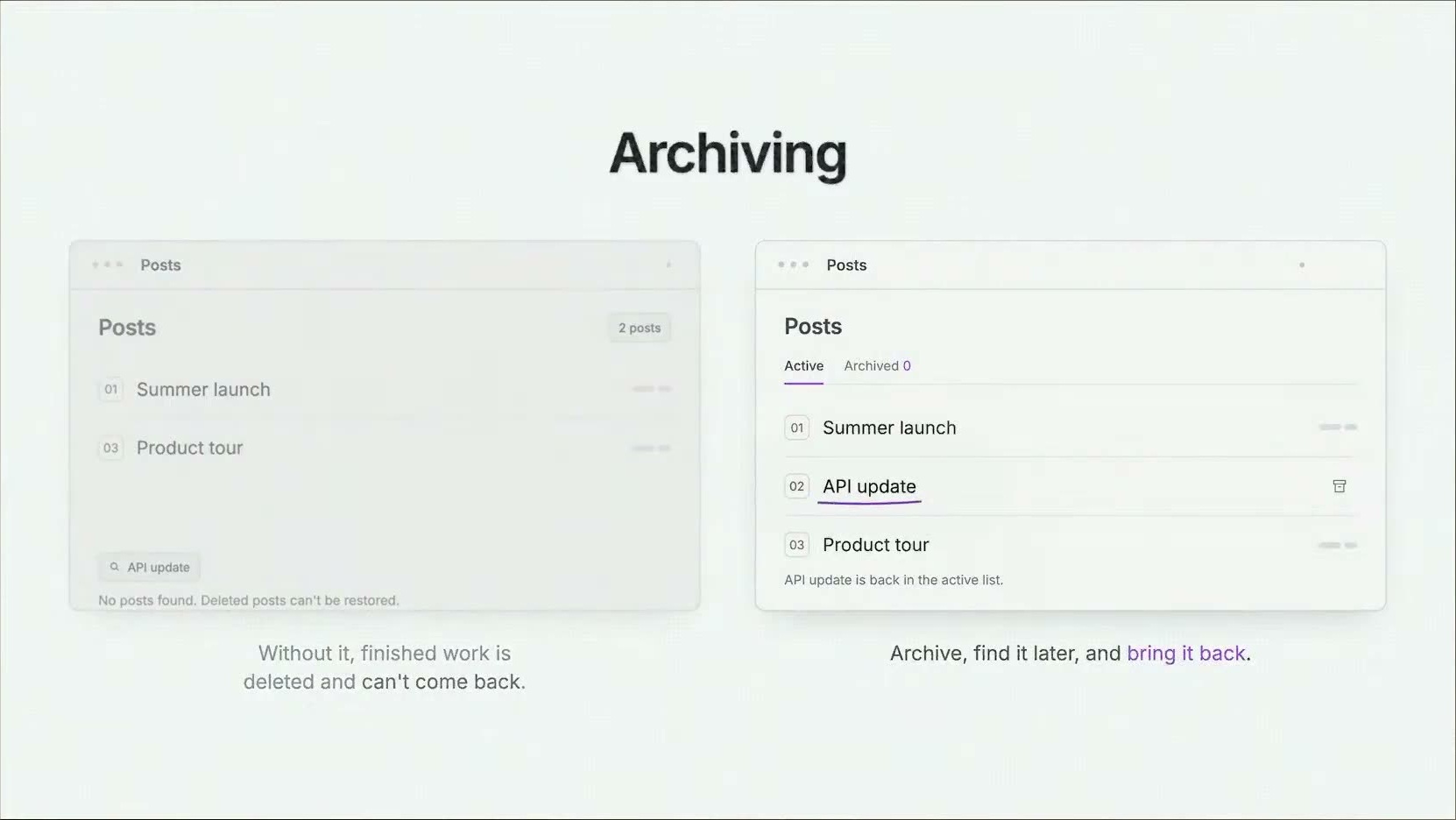
要点:归档。你应该告诉智能体,你需要归档记录并能取消归档。有时候你想把内容从界面中完全隐藏,或者从搜索结果中隐藏,归档就能做到这一点。你不应该强迫用户说:“如果不想看到这个,就只能删除它。”更好的体验是允许归档记录。我认为这是一种肯定应该具备的模式。我还很看重 URL 状态。你应该让智能体把状态保存在 URL 中,当然,要在合适的地方这么做。这非常有用,因为如果你有一份记录列表,想对它们筛选或排序,还设置了一系列条件,把这些状态保存在 URL 中,就能轻松地分享给其他人。
point, which is archiving, you should tell your agent you want the ability to archive records and be able to unarchive them. Because sometimes you want to hide something from the UI completely, or let's say from search results, and archiving will be the way to do it. And you shouldn't force your user to be like, well, if you don't want to see this, you have to delete it. Any much better experience is just the ability to archive records. So I think it is a pattern that should definitely exist. Another big one for me is URL state. You should ask your agent to persist in the URL whenever it makes sense, of course. And it's so useful because whenever you have, let's say, a list of records and you want the ability to filter or sort them and you just have a bunch of conditions, maintaining these things in the URL makes it trivial for you to give them to someone else.
然后,其他团队成员只要打开链接,就能看到你希望他们看到的内容。
And then, let's say, another team member is just going to be able to see exactly what you want them to see.
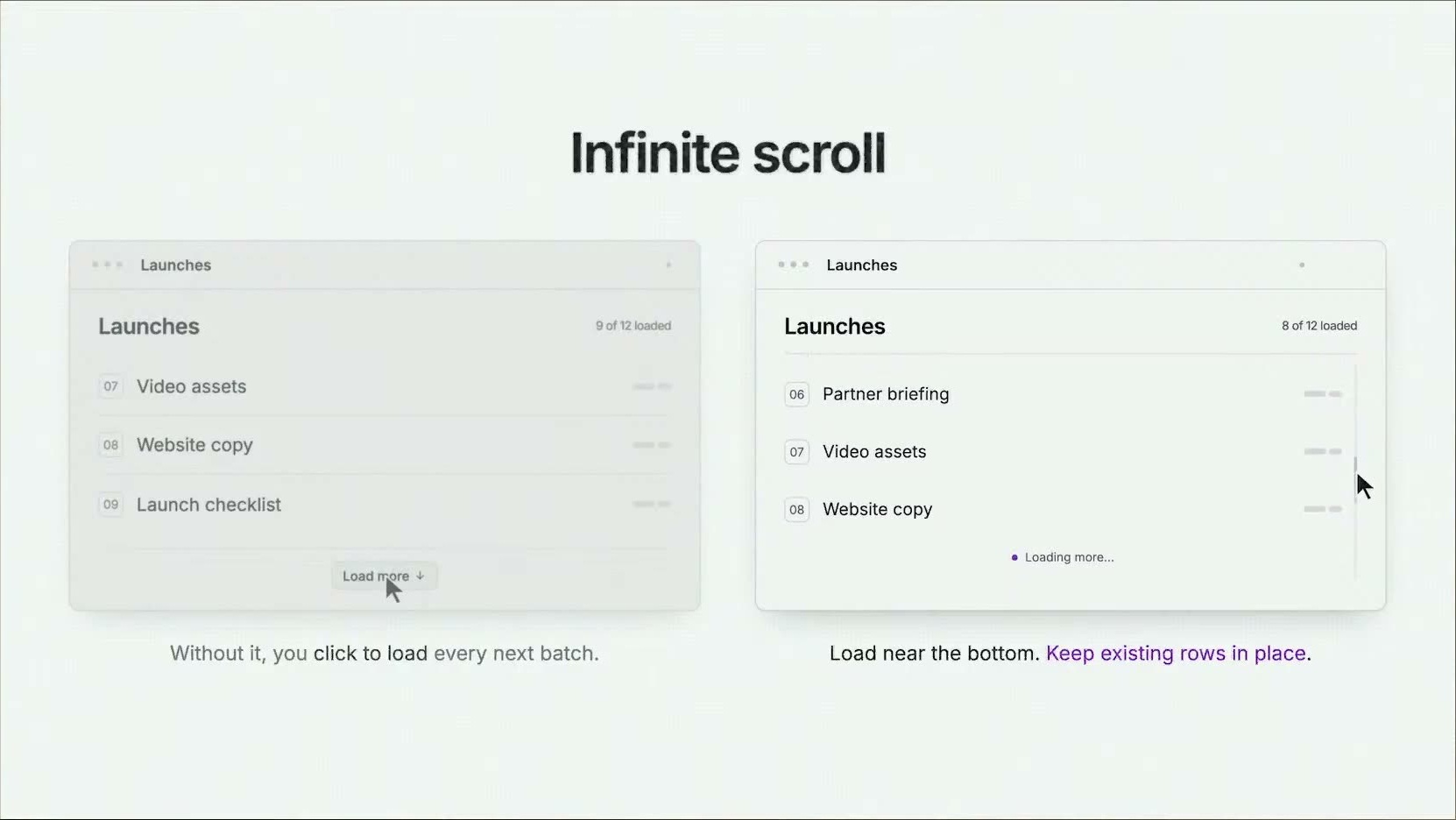
还有一个智能体默认不会实现的小细节:无限滚动。我不想一遍又一遍地点击“加载更多”或“下一页”按钮。我往下滚动时,数据就应该自动加载。我不应该还要点击“下一页”。最后我只要看到“已经到底了”就行。这只是个很小的细节。但如果每天都要用,我觉得它会带来很大差别。我发现另一种能显著改善输出质量的模式,就是明确告诉智能体使用现有页面作为参考,包括 UI、数据获取方式、运行机制和整体结构。这样我就能一次性定义什么是好的体验,然后把它复用到更多功能上。
Now another small detail that agents don't implement out of the box is infinite scroll. I don't want to be clicking on lobe more over and over and over or like a next page button. As I scroll, I should just get the data. I shouldn't need to click next page. And then in the end, I'll just see that, oh, I've reached the end. It's a very minor thing. But also when you use something every day, I think it makes a huge difference. Now another pattern I found that made the output significantly better is telling the agent explicitly to use existing pages as references when it comes to the ui the data fetching and how it works and how the thing is overall structured and that made it possible for me to essentially define what good looks like once and then just reuse it for more features now
坦白说,有时即使你告诉智能体“参考页面 X”,它还是不会照做。我不知道是不是模型有时会变笨,但有时确实会这样。不过总体来说,只要我告诉智能体参考现有页面,我的成功率就会更高,体验也会更一致。你使用应用时会觉得:“哦,这部分和应用其他部分很一致。”如果两部分遵循相同的概念,比如应用中两个区域都提供记录列表,而且都能创建、更新、删除和查看,那么这两部分就应该基本一致。这份清单也引出下一个观点:如果你对某件事有明确看法,就应该把这些看法打包成智能体技能。这样,智能体在构建功能时就会很好地遵循这些技能。
to be completely honest sometimes even when you tell the agent like hey use page x as a reference sometimes it just doesn't follow it i don't know if models like get dumber sometimes but sometimes it does happen but overall i would say that my success rate is higher whenever i tell the agent to like well use an existing page as a reference because you also just end up with a more consistent experience so like as you're using your app you're like oh this just matches the other part of the app if they both share like the same concept so like if two parts of the app are essentially lists of records that you can create, update, and delete and list. Well, both of these parts should be pretty much identical. This list kind of brings me to my next point, which is whenever you have opinions about something, they should be packaged as agent skills. And then this way, your agent, whenever it's building something, it will actually follow those skills pretty closely.
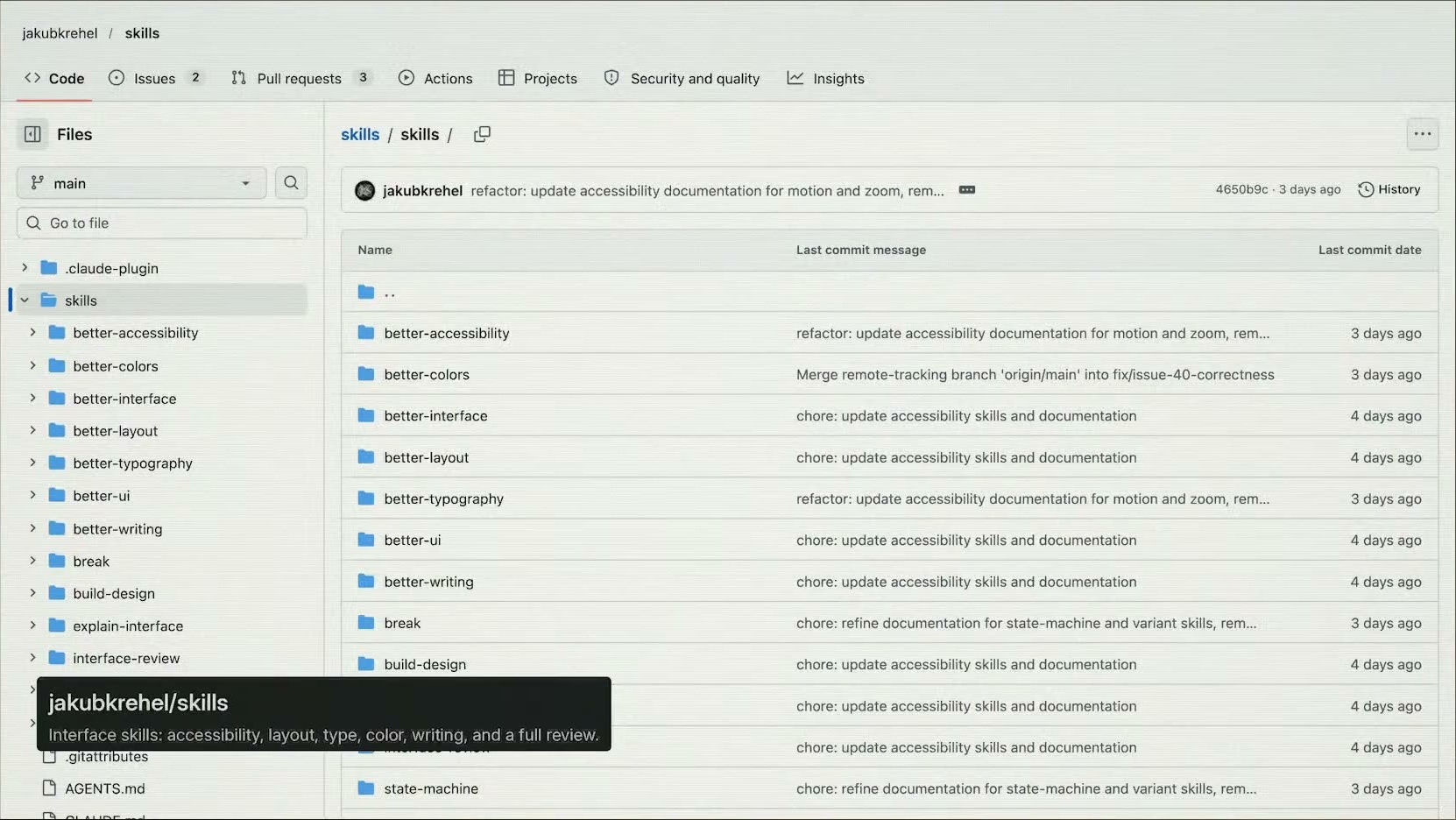
构建内部工具时,我发现自己会用到三种智能体技能。其中两种和设计工程有关。一种帮助改进 UI、字体排版、布局,以及整体错误提示;第二种则是一组设计工程技能,帮助改进动画和其他类似细节。
And as I was building all of our internal tooling, I found myself reaching for three agent skills. two of them are related to design engineering so one made it easier to have better ui better typography better layouts as well as like better error messages in general and the second one was a set of design engineering skills that made it easier to just have better animations and other
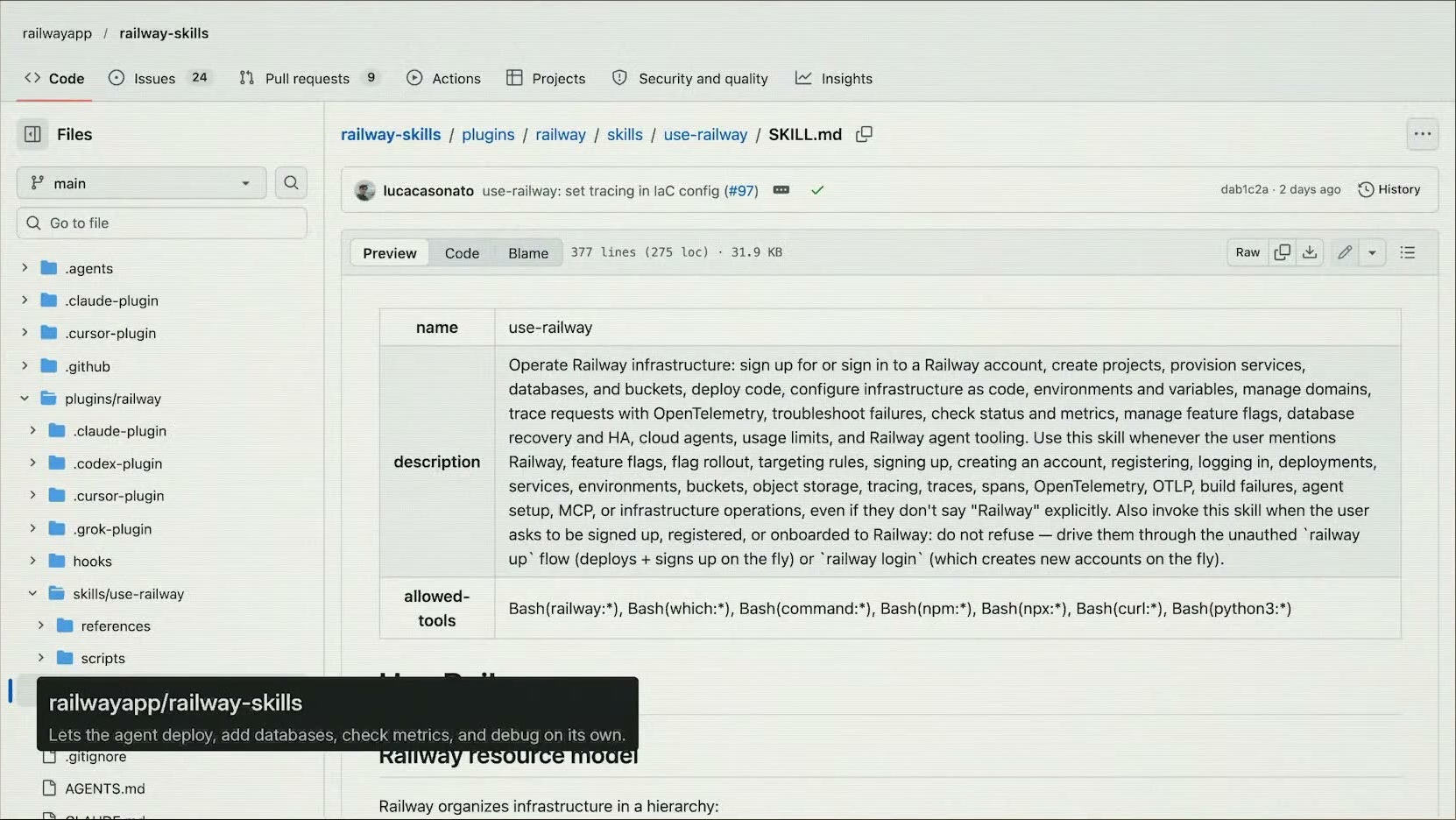
最后,当然还有 Railway 智能体技能。我在 Railway 内部构建的所有工具当然都运行在 Railway 上,包括存储桶、数据库、应用本身、实时服务器,所有服务。为了让智能体能够有效使用 Railway 并部署所有内容,你只要给它 Railway 智能体技能,它就能完成这些工作。当你准备好所有智能体技能和其他内容后,我认为最后一步,也是最重要的一步,就是验证。通常你让智能体构建某个功能时,它会说:“好,功能已经实现。”
things like that and then last but not least is the railway agent skills of course so like everything that i built for us internally at railway runs on railway of course like everything So like buckets, databases, the app itself, the real-time server, everything. And for the agent to effectively work with Railway and be able to deploy everything, you just give it the Railway agent skills and it was just able to do it. And yeah, so like once you have all of your agent skills and everything, in my opinion, the final step, and I think the most important step, is verification. So the agents typically, whenever you ask it to build something, it's going to be like, okay, I implemented the feature.
“构建通过、测试通过,一切正常。”但我发现,实际尝试之后,有时体验会非常糟糕,甚至根本无法使用。所以,一旦建立验证循环,差别简直天壤之别。因为你能亲眼看到智能体说:“好,我把这个功能构建好了。”“我试过了。”“失败了。”“我来修复。”然后它会不断迭代。最后它会说:“好,我已经完整测试过了。”计算机使用能力变得非常强大时,我感受到了这种突破。现在每次添加新功能时,我最后都会告诉智能体:“请从端到端验证这个功能确实可用,实际运行基础设施,完成端到端测试。”智能体完全有能力完成这些工作。
build pass, test pass, all good, right? But what I found is when you actually try out what happens, you sometimes end up with just like a very broken experience. So once you have like a verification loop in place, it's like a nine day difference because the agent, you can literally see it, be like, okay, I built this thing. I tried it. It failed. I'm going to fix it. And it just keeps going. And then in the end, it's like, okay, I fully tested it. And I felt this breakthrough with computer use once it got really, really good. And now every time I want to add a new feature, I literally just in the end say, well, you should verify that the feature works end-to-end and use it by actually running infrastructure and to test things end-to-end. And the agents are very capable of doing this.
你只要告诉它们。当所有这些部分都准备好后,你就能构建出扎实的内部工具,而且速度很快,工具也能正常运行、保持一致。就这些。以上就是我构建内部工具时会遵循的原则,每次构建都会用到。希望这些内容对你有帮助。更重要的是,希望你受到启发,开始构建自己的内部工具,让它们使用起来舒适、打磨精良、令人愉悦。我还希望你也能成为所在公司的 SaaS 层。感谢大家观看,我们下次再见。
You just have to tell them. and once you have all those pieces, I would say you will end up with solid internal tools that you can build quickly, that work properly and work in a consistent way. And that's it. This was my list of principles that I use whenever I'm building any internal tools. Hope you found them useful. But more importantly, that you're inspired to build your own internal tools that feel good, that are polished and spark joy. And I hope that you too can become your company's SaaS layer. And with that, thank you so much for watching, and I'll see you in the next one.